All features

Cloudesk Quality

Catch it at the door, and fix it for good.

Say what to check on what you buy and make; inspections are waiting the moment goods arrive or come off the line. A lot that fails is held in quarantine and reported, and the report isn't closed until the cause is known, the actions are done, and the goods are released, scrapped or sent back.

Quality checks on a phone

Real screenshots from the app, using a demo workspace.

How it works

Three steps, no surprises

  1. 1

    Write a plan

    For an item or a whole category, at receipt, after production or before dispatch: measurements with limits and pass/fail checks, how many samples, and how many may fail.

  2. 2

    Inspect the lot

    Lots are queued when goods are received or made. Enter each sample's readings; the lot passes or fails against the plan.

  3. 3

    Put it right

    A failed lot is held in quarantine and reported. Record the root cause, corrective and preventive actions, and what happens to the goods — closing carries it out.

The tour

Every tool, up close.

  1. 01At a glance

    How lots are passing, by supplier and item.

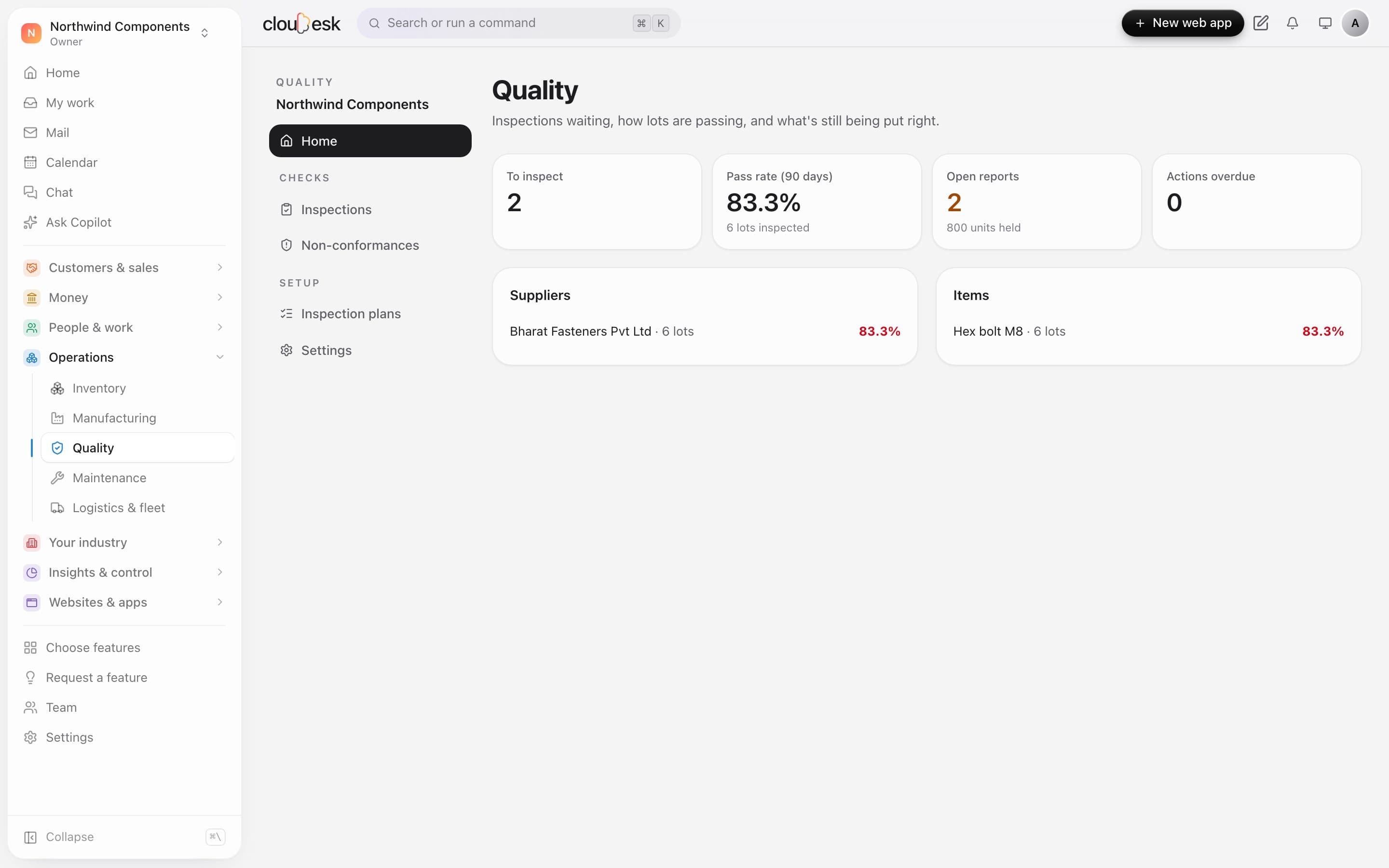
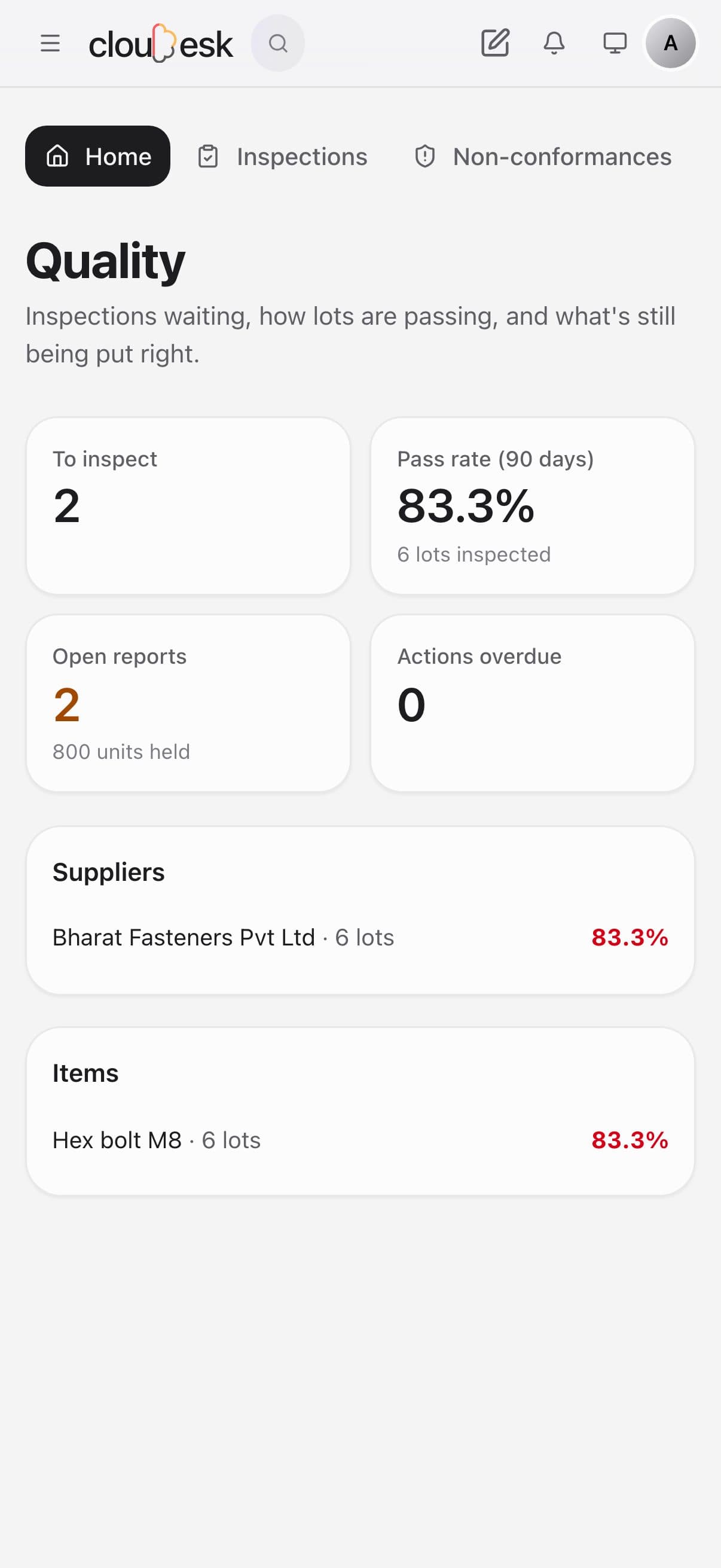
    The quality home counts lots waiting for inspection, the pass rate over 90 days, and open reports with the units they hold. Pass rates are split by supplier and by item.

    • Lots to inspect
    • Pass rate over 90 days
    • Units held in quarantine
    Quality home with lots to inspect, the pass rate and open reports
  2. 02Inspections

    Goods in? The inspection is already waiting.

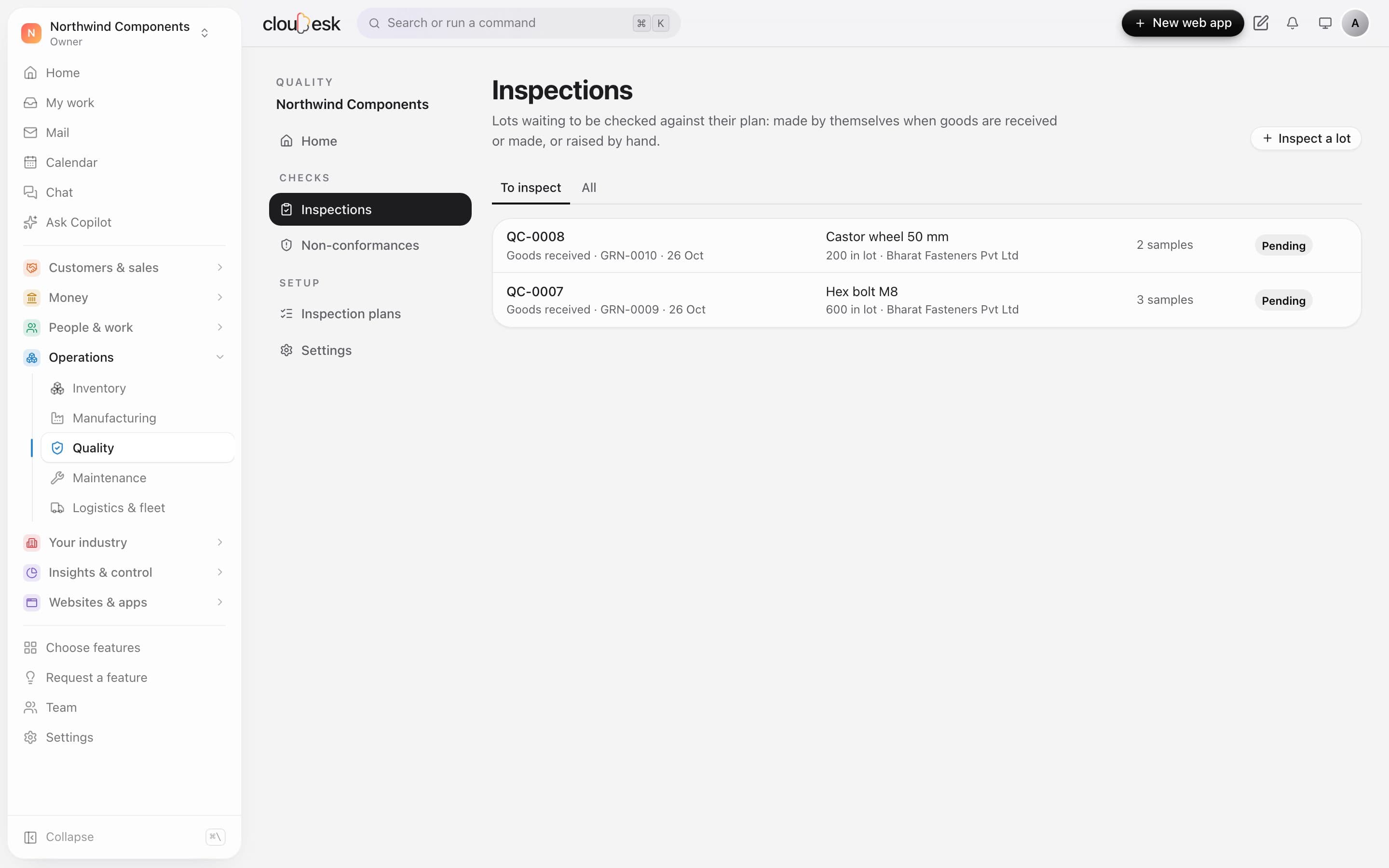
    When goods are received, an inspection is raised by itself from the matching plan, with the number of samples to check. You can also inspect a lot by hand.

    • Raised from receipts automatically
    • The plan decides the sample size
    • Linked to the goods receipt
    Inspections waiting for lots received from a supplier
  3. 03Results

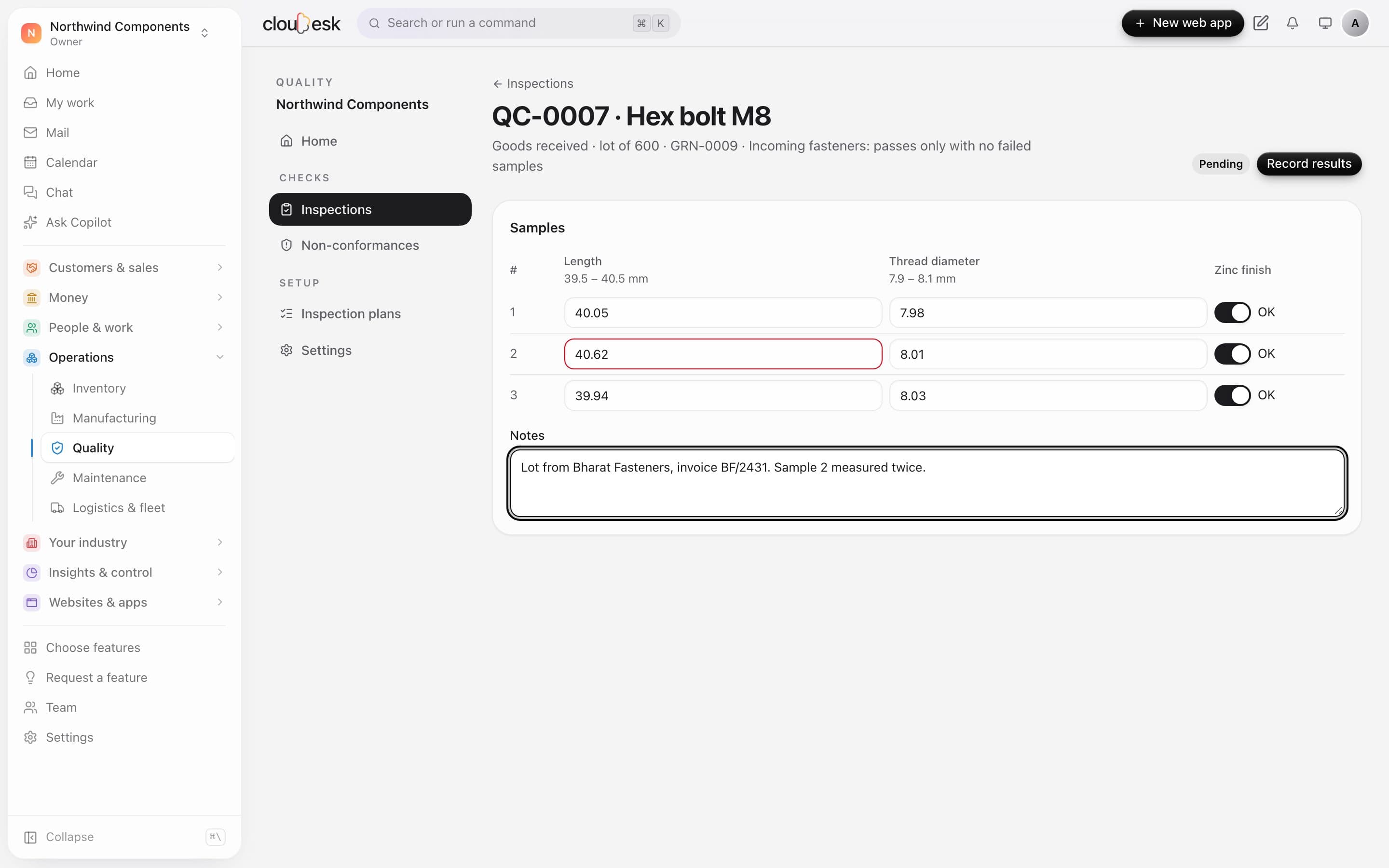
    Out of tolerance shows red as you type.

    Enter measurements and pass/fail checks for each sample. Anything outside the plan's limits is marked before you record the results.

    • Measurements with min and max limits
    • Pass/fail checks
    • Notes for the lot
    Sample measurements with one length out of tolerance
  4. 04Non-conformances

    A failed lot goes straight to quarantine.

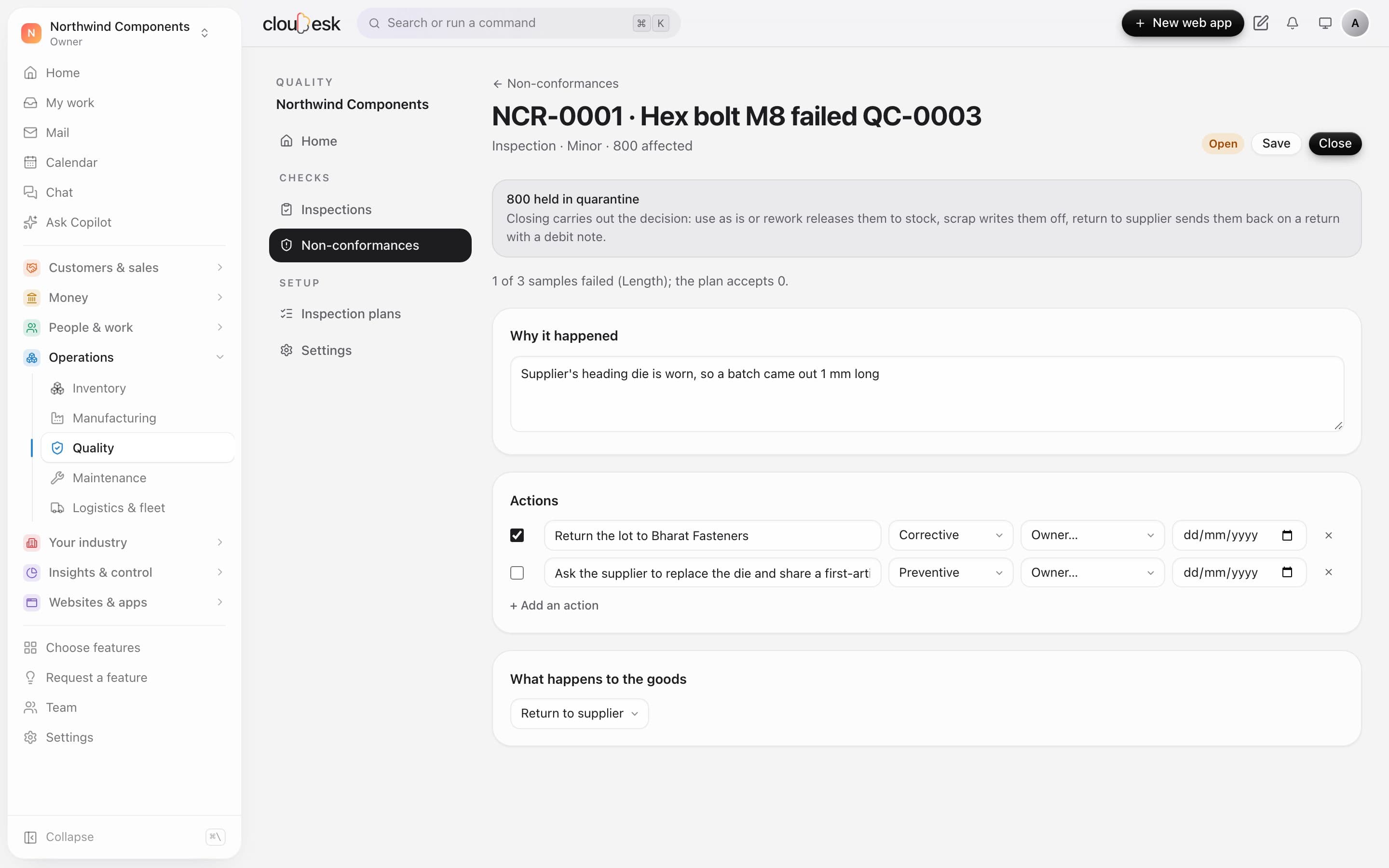
    A failed inspection opens a report and holds the lot in quarantine. Record the root cause and actions, then close it to release, rework, scrap or return the goods.

    • Root cause and corrective actions
    • Release, rework, scrap or return to supplier
    • Return to supplier with a debit note
    A non-conformance report with the lot held in quarantine, the root cause and actions

In detail

What you get with Cloudesk Quality

Inspections that queue themselves

Receiving goods or finishing a work order makes an inspection for every item with a plan at that stage, with the number of samples worked out from the lot.

Good to know

We'd rather be upfront than surprise you later:

  • Quality needs Inventory. Quarantine needs a quarantine bin at the location (Inventory → Bins).
  • Only what's still where it was received can be held — stock already moved or sold isn't pulled back.
  • There are no certificates of analysis, calibration records, control charts or audit checklists yet.
  • Returning to the supplier needs Procurement switched on in Inventory.

Questions people ask

What counts as a failed sample?+

A sample fails if any measurement is outside its limits or any check fails. The lot passes if no more samples fail than the plan allows.

Who decides what happens to held goods?+

Anyone with write access can record inspections and work a report; an owner or admin decides the disposition and closes it.

Works beautifully with

Give it a spin — it's free to start.

Next up: Cloudesk Assets & maintenance →

Start free