All features

Cloudesk Customer & supplier portals

Let customers and suppliers help themselves.

One address for your business, two doors. Customers sign in with the email on their invoices and see what they owe (and how to pay), past payments, their orders with delivery tracking, and their support tickets. Suppliers sign in with the email you have for them to quote your RFQs, acknowledge purchase orders with a delivery date, tell you what's been dispatched and send their invoices — which your accounts team books in a click.

Customer and supplier portals on a phone

Real screenshots from the app, using a demo workspace.

How it works

Three steps, no surprises

  1. 1

    Switch it on

    Choose what customers and suppliers can see. Your portal lives at your workspace's address.

  2. 2

    Share the link

    It's in your RFQ and purchase-order emails automatically, or send anyone their sign-in link from Cloudesk.

  3. 3

    They sign in by email

    A one-time link, valid for 30 minutes. No passwords to forget; only addresses you already have get in.

The tour

Every tool, up close.

  1. 01Two portals

    One for customers, one for suppliers.

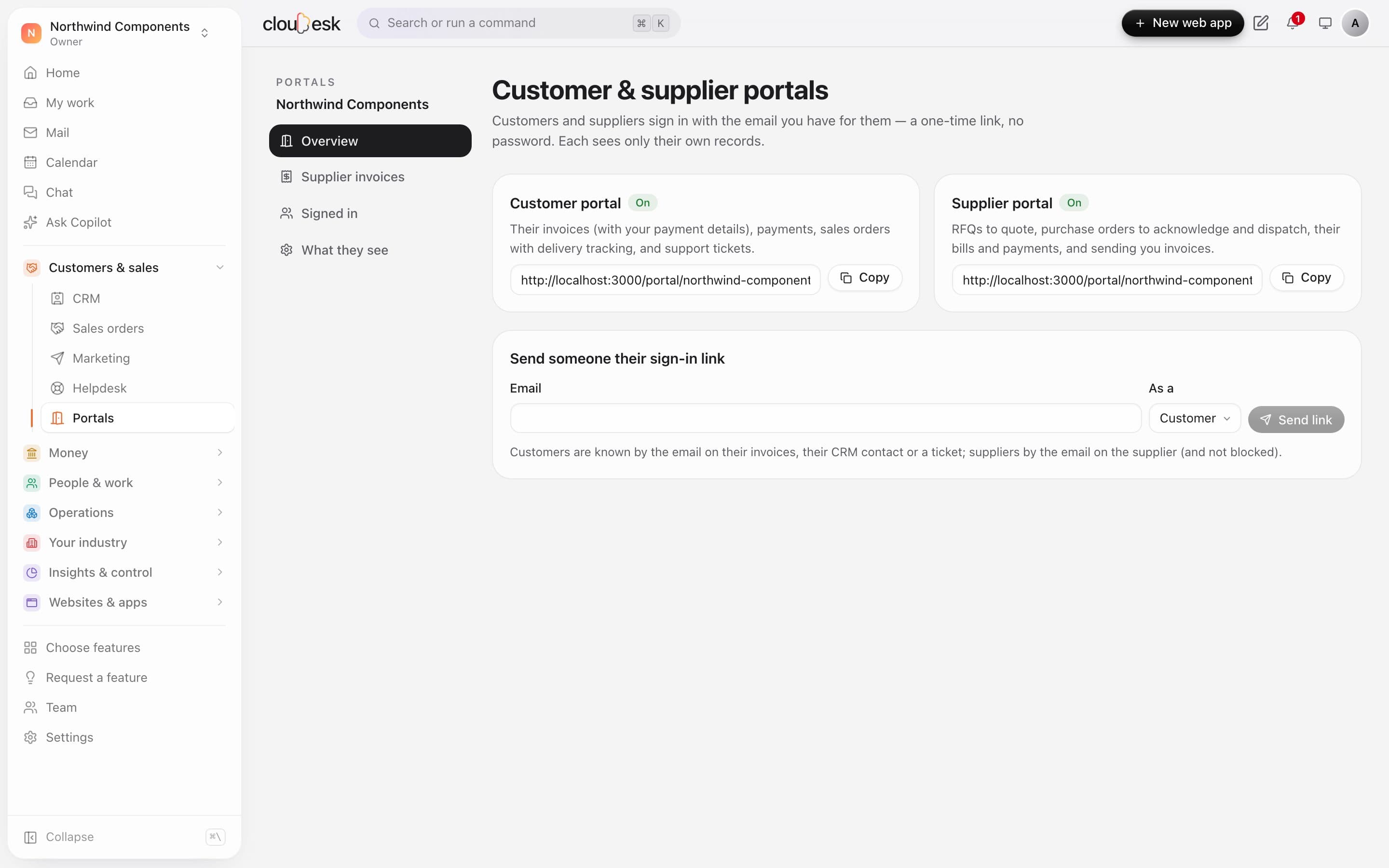
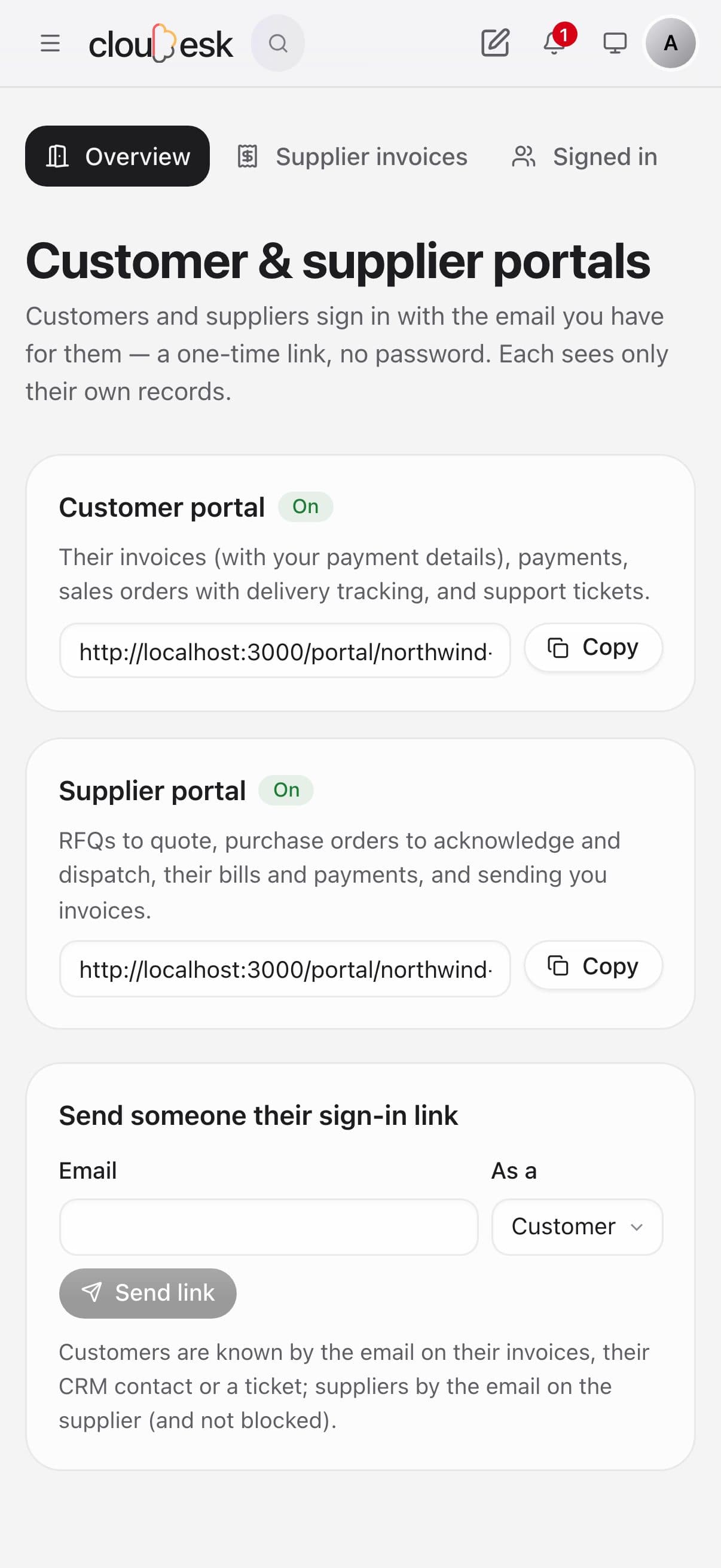
    Customers and suppliers sign in with the email you already have for them, using a one-time link instead of a password. Each sees only their own records.

    • One-time sign-in links, no passwords
    • Choose what each portal shows
    • See who has signed in
    Portal settings with the customer and supplier portal addresses
  2. 02For customers

    What they owe, without asking you.

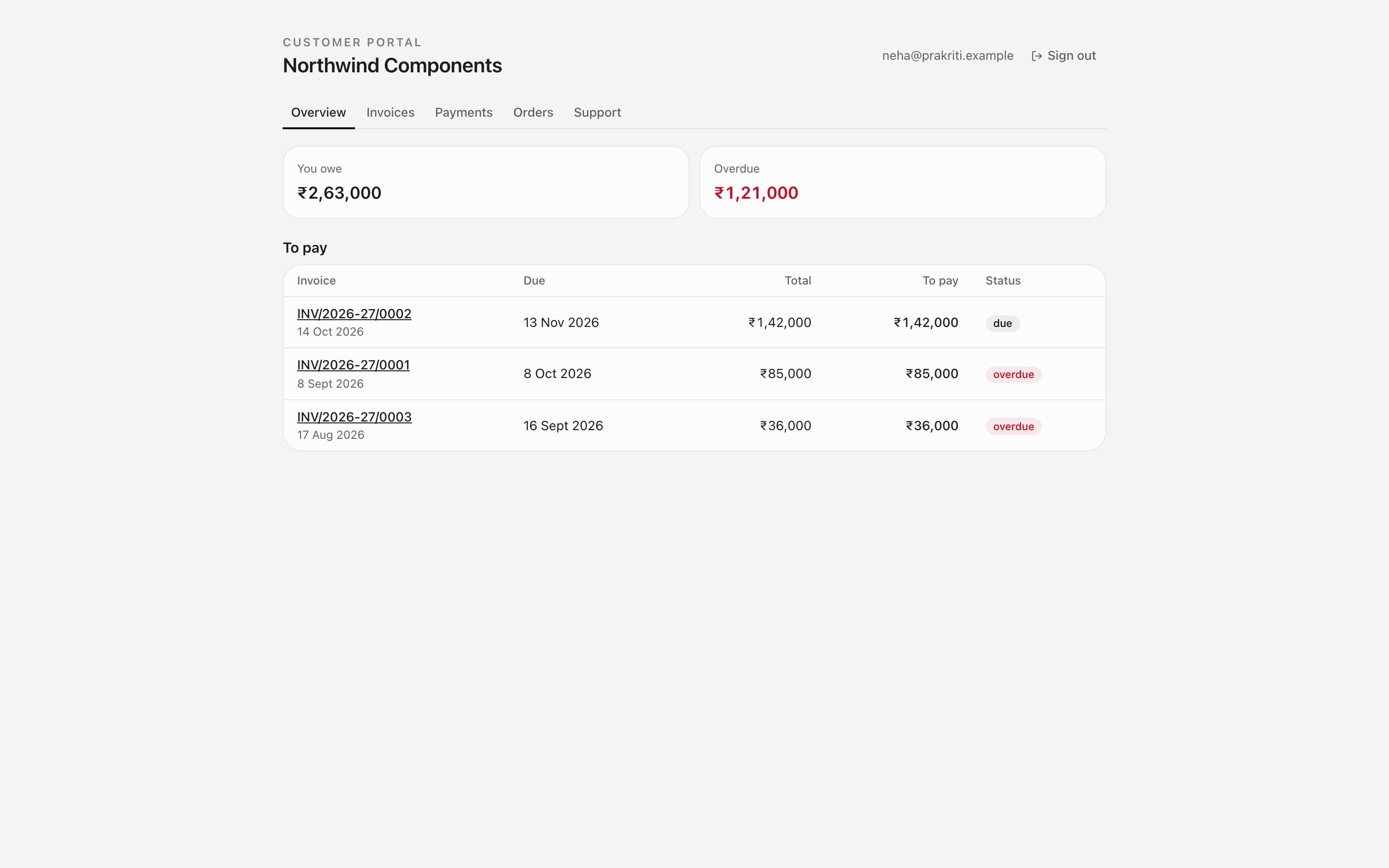
    Customers see their invoices with your payment details, what's overdue, their payments and orders. They can raise a support request that lands in your helpdesk.

    • Invoices, payments and orders
    • Overdue amounts at the top
    • Support requests become tickets
    The customer portal with invoices due and overdue
  3. 03Support

    Questions go to your helpdesk.

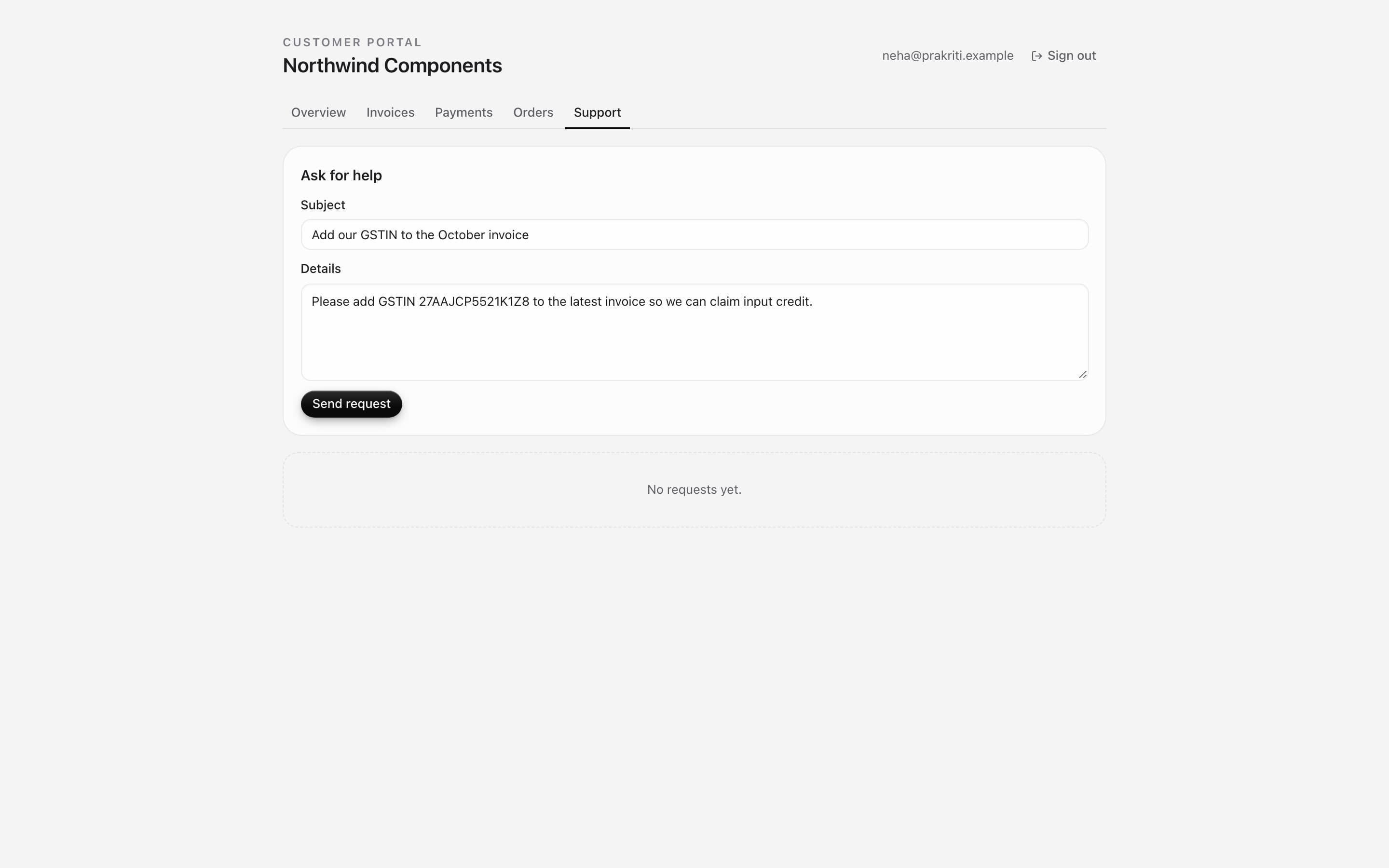
    A request from the portal opens a helpdesk ticket with the customer already attached. They can follow its progress from the same tab.

    • Tickets with the customer linked
    • Their past requests listed
    • No separate email thread to chase
    A customer writing a support request in the portal
  4. 04For suppliers

    Suppliers acknowledge orders and send invoices.

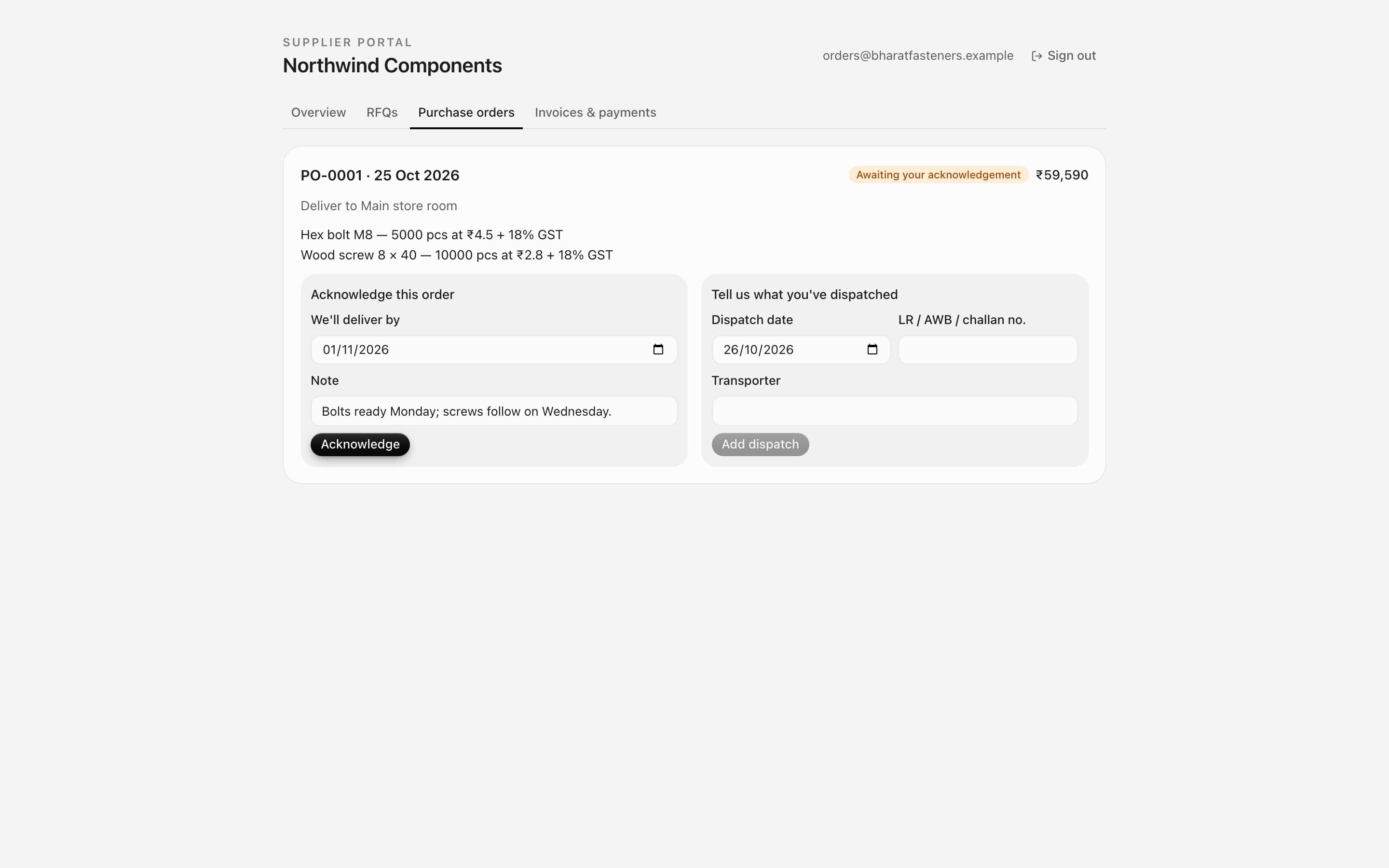
    Suppliers see your purchase orders, promise a delivery date, tell you what they've dispatched, answer RFQs and send their invoices. The team books an invoice as a bill from the portal's list.

    • Acknowledge with a delivery date
    • Dispatch with LR or challan number
    • Invoices with the PDF attached
    A supplier acknowledging a purchase order with a delivery date

In detail

What you get with Cloudesk Customer & supplier portals

Only their own records

A customer sees invoices to their email; a supplier sees RFQs they were asked on and their own orders and bills.

Good to know

We'd rather be upfront than surprise you later:

  • Customers are recognised by the email on their invoices, their CRM contact or a past ticket; suppliers by the email on the supplier record.
  • Online payment of invoices from the portal isn't built in yet — each invoice shows your bank and UPI details.
  • Sessions last 30 days on a device.

Questions people ask

Can someone sign in with any email?+

They can ask, but a link is only sent to addresses you already have — and the page says the same either way, so nobody can find out who your customers are.

Do suppliers need a Cloudesk account?+

No. They sign in with a link sent to their email.

Works beautifully with

Give it a spin — it's free to start.

Next up: Cloudesk Helpdesk →

Start free