All features

Point of sale & barcodes

Beep. Bill. Done. A till that keeps up with your counter.

Scan barcodes or product QR codes, take cash, UPI or card, and print a neat GST receipt. Every sale updates the same stock as your online store — so nothing gets oversold.

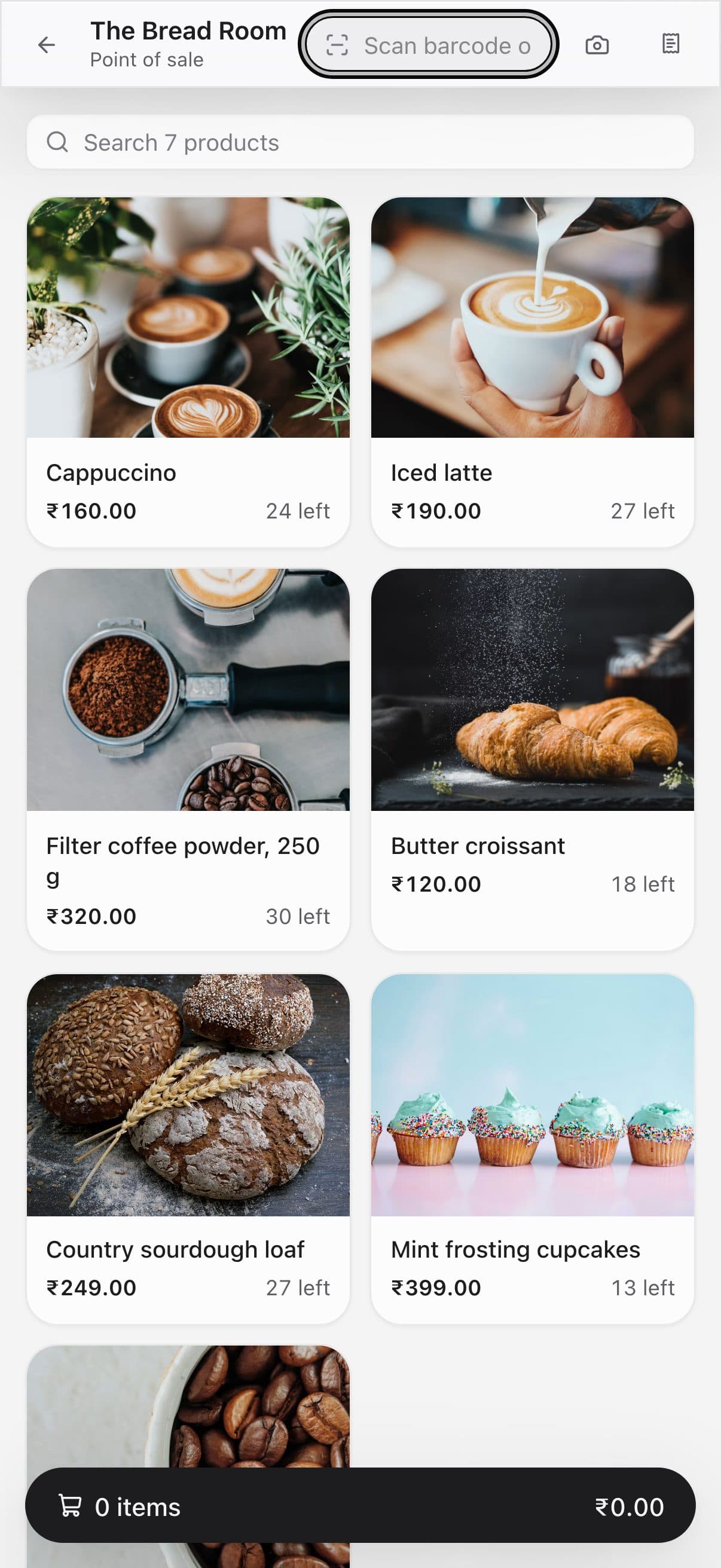
The till on a phone

Real screenshots from the till, using a demo bakery and its demo sales.

How it works

Three steps, no surprises

  1. 1

    Print your labels

    We create in-store barcodes for every item and print price labels on thermal rolls or A4 sheets.

  2. 2

    Scan and bill

    Use any USB or Bluetooth scanner — or your phone camera in Chrome. Add discounts, customer details and GSTIN.

  3. 3

    Get paid, print, repeat

    Cash with change worked out, UPI with a scan-to-pay QR for the exact amount, or card with a reference.

The tour

Every tool, up close.

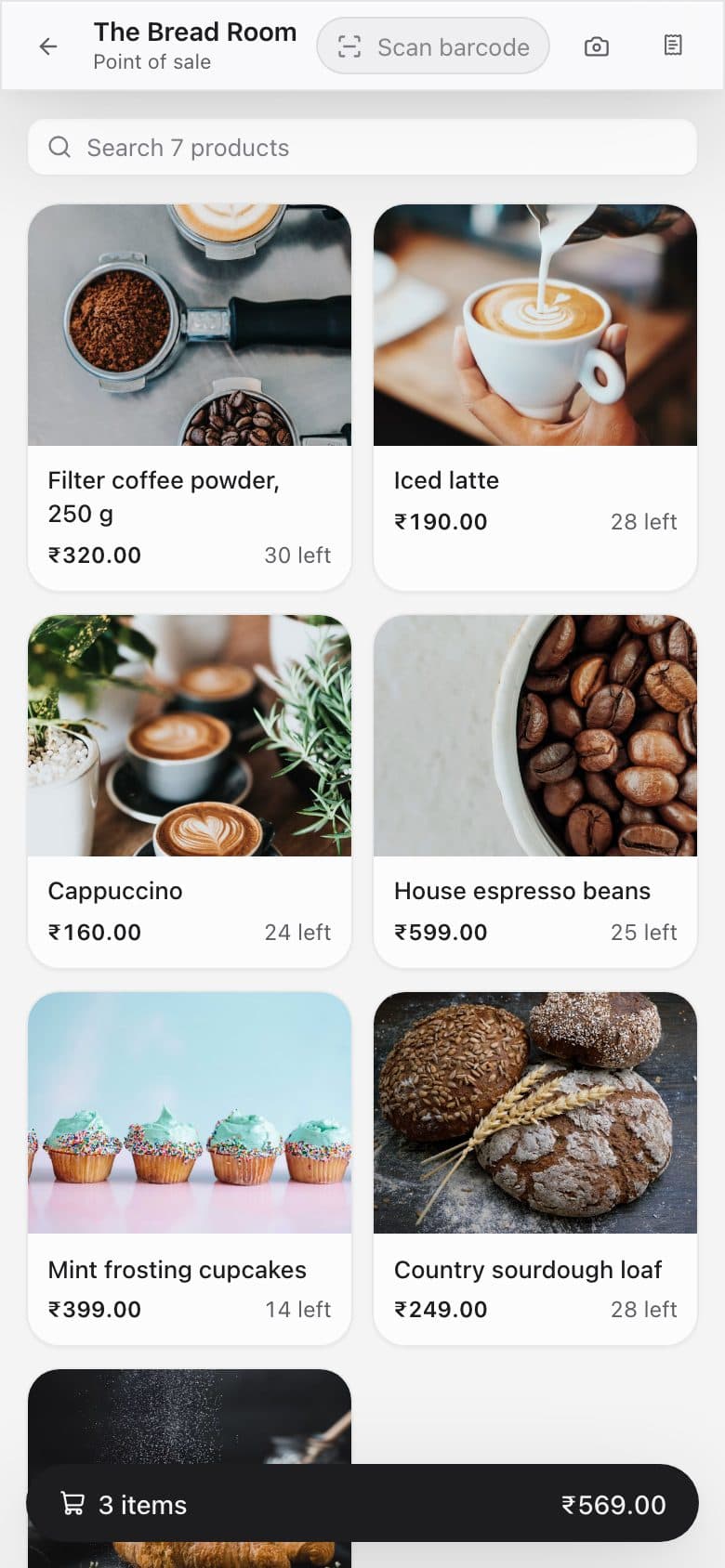
  1. 01The till

    Scan it, tap it, or search it.

    Point a barcode scanner at a pack, tap a product photo, or type a few letters. The sale builds up on the right as you go.

    • Any USB or Bluetooth barcode scanner
    • Phone or laptop camera scanning in Chrome
    • Variants like size or grind picked in one tap
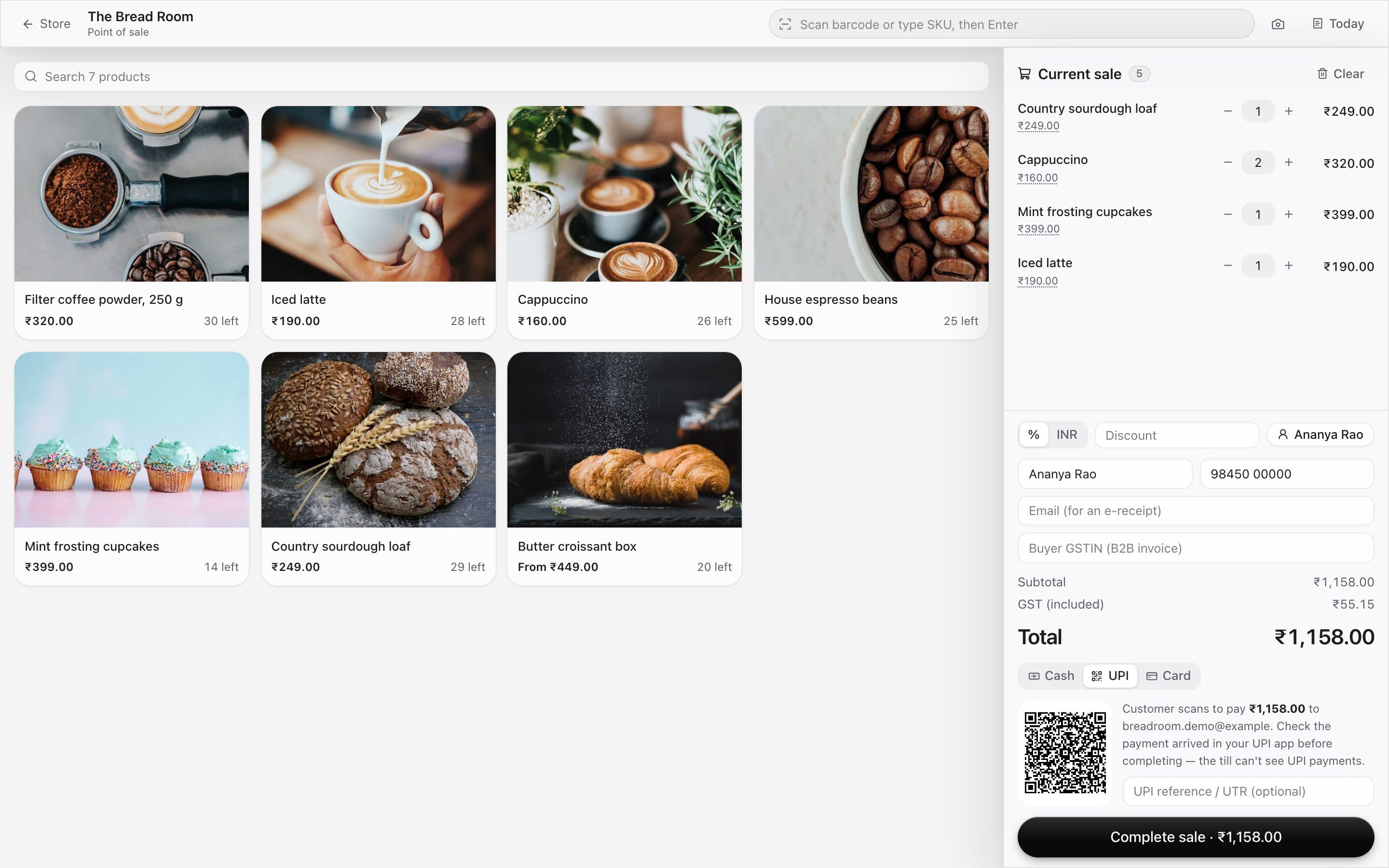
    The till with product photos and a sale in progress
  2. 02Getting paid

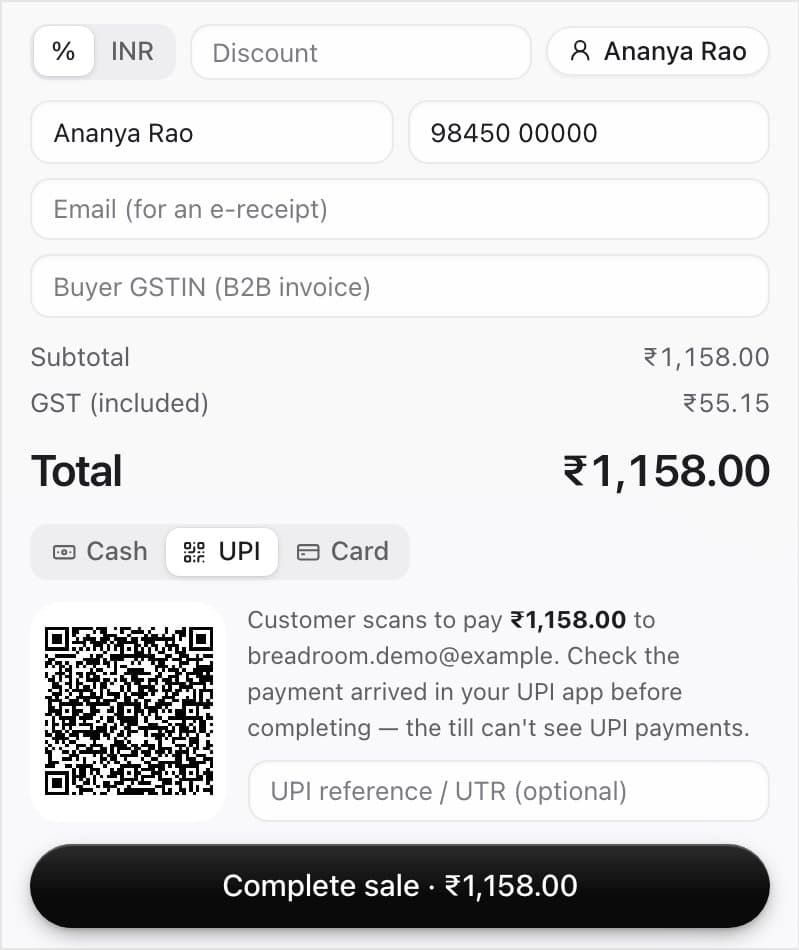
    Cash, UPI or card — with GST already done.

    The total includes GST the way your prices do. For UPI, the customer scans a QR for the exact amount; for cash, enter what they hand you.

    • A UPI QR for the exact total
    • Customer name, phone and GSTIN for a B2B bill
    • Discounts by percent or amount
    The payment panel with Cash, UPI and Card, the GST included, and a UPI QR code
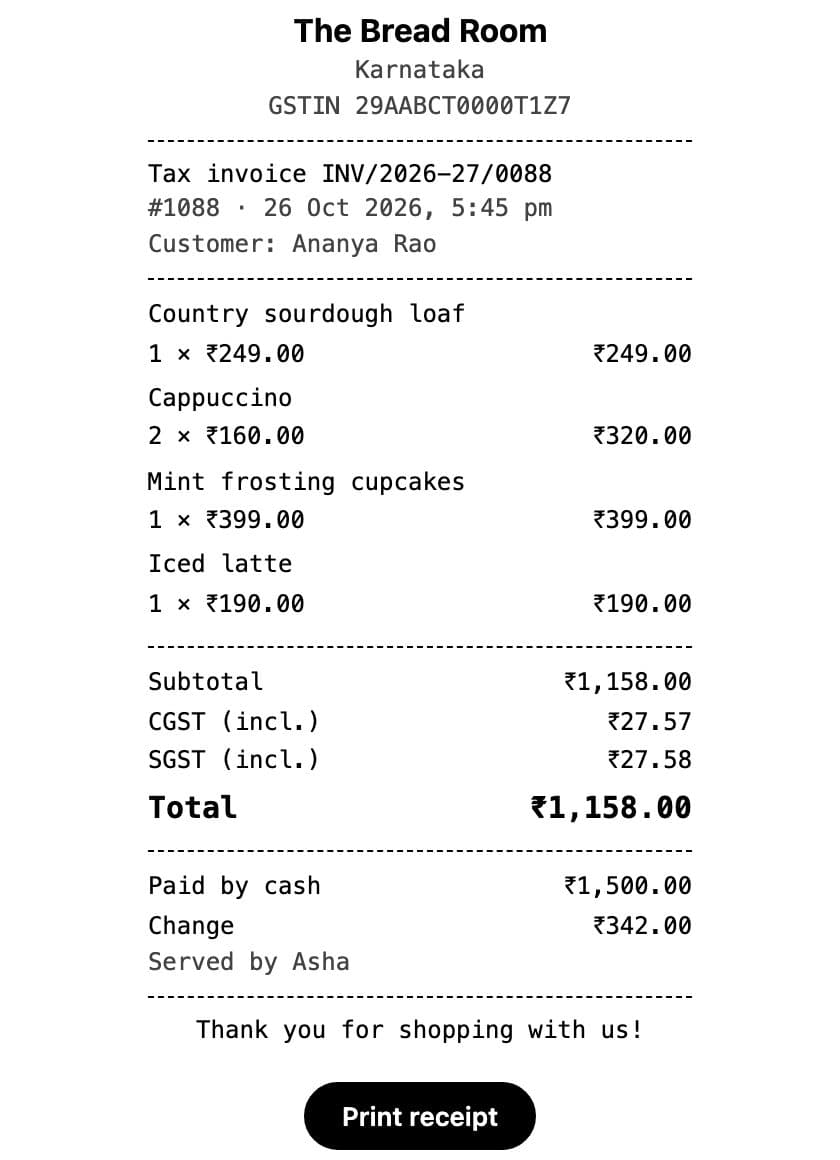
  3. 03Change & receipts

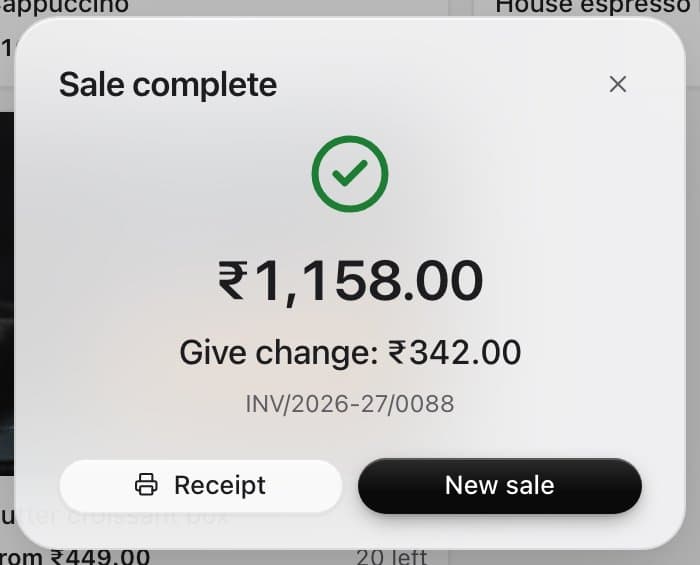
    Change worked out. Receipt in one tap.

    Finish the sale and the till tells you the change to give. Print an 80 mm receipt with your GSTIN and the CGST/SGST split.

    • Change to give, in big numbers
    • 80 mm receipts with the tax split
    • Every sale gets a proper invoice number
    The Sale complete dialog showing ₹342 change to give
  4. 04One stock

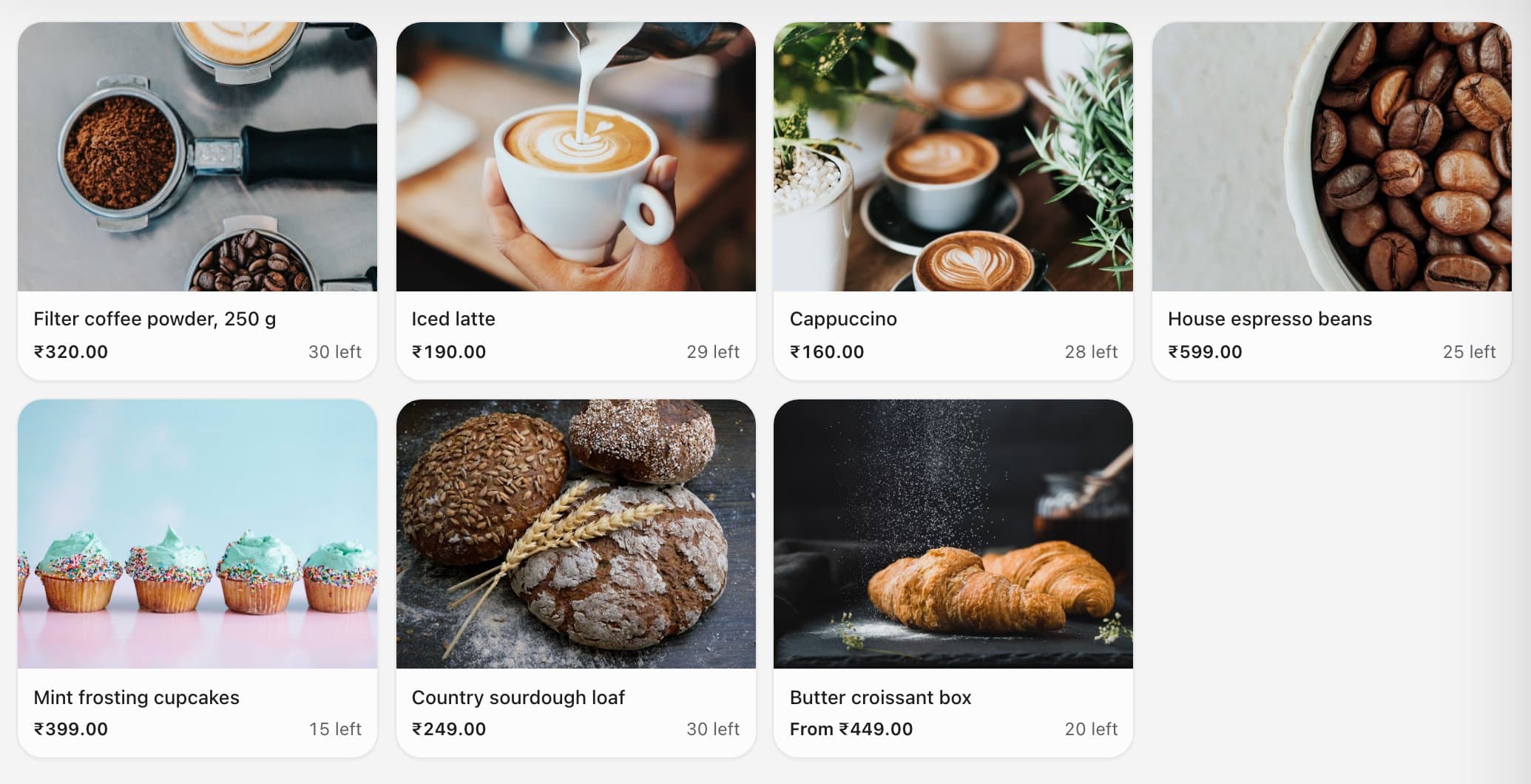
    One stock for your shop and your website.

    Every sale at the counter comes off the same inventory as your online store, so you never sell what you don't have.

    • Stock left on every product
    • A warning before selling past zero
    • Counter sales show up with your online orders
    Product tiles showing how many of each are left
  5. 05Labels & barcodes

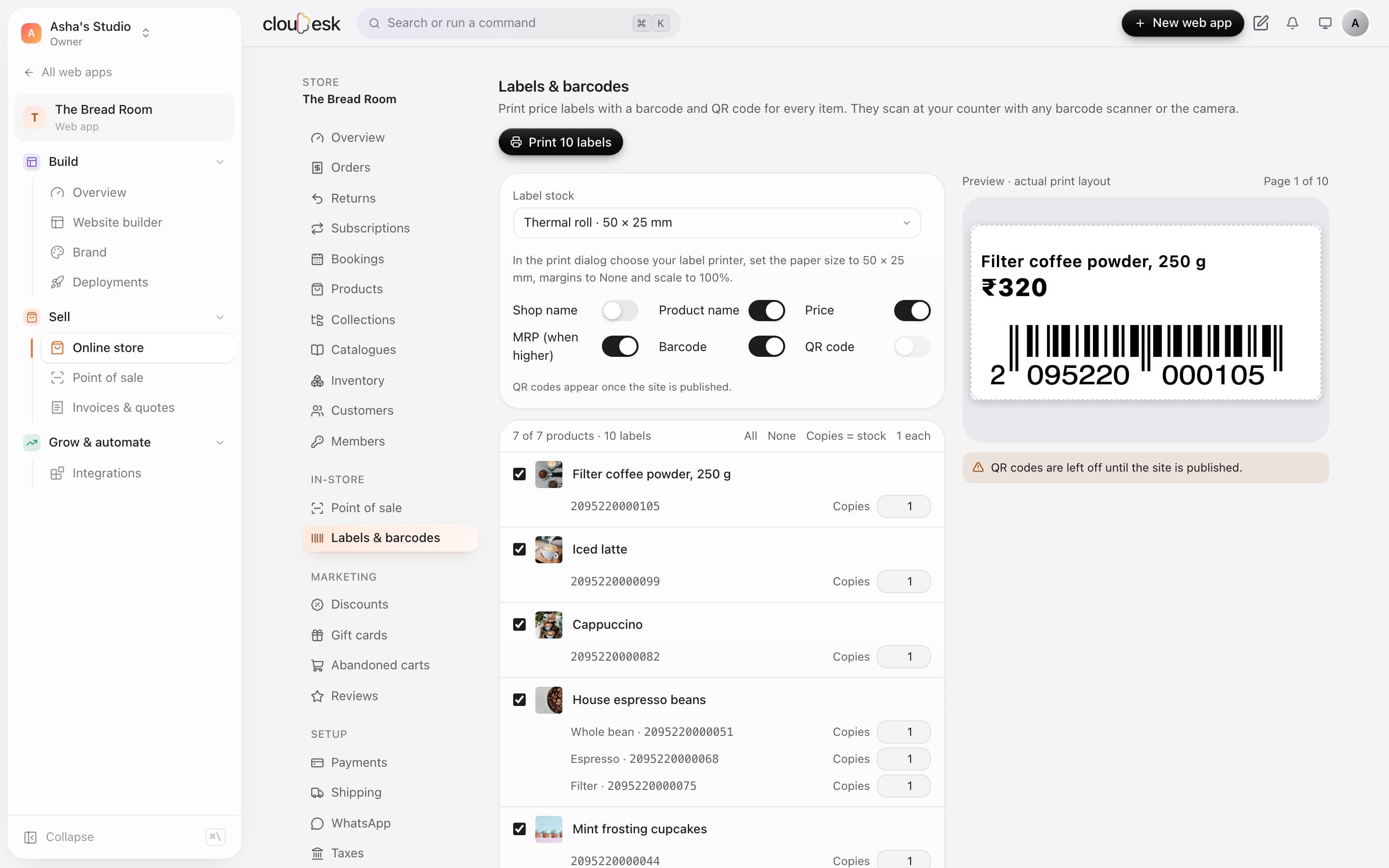
    Price labels with barcodes, made for you.

    We create in-store barcodes for every item that doesn't have one, then print price labels on thermal rolls or A4 sheets.

    • In-store EAN-13 codes that never clash with packaged goods
    • Thermal rolls from 38×25 to 100×50 mm, or A4 sheets
    • Pick what's printed: name, price, MRP, barcode
    The Labels and barcodes page with label size, options, products and a preview
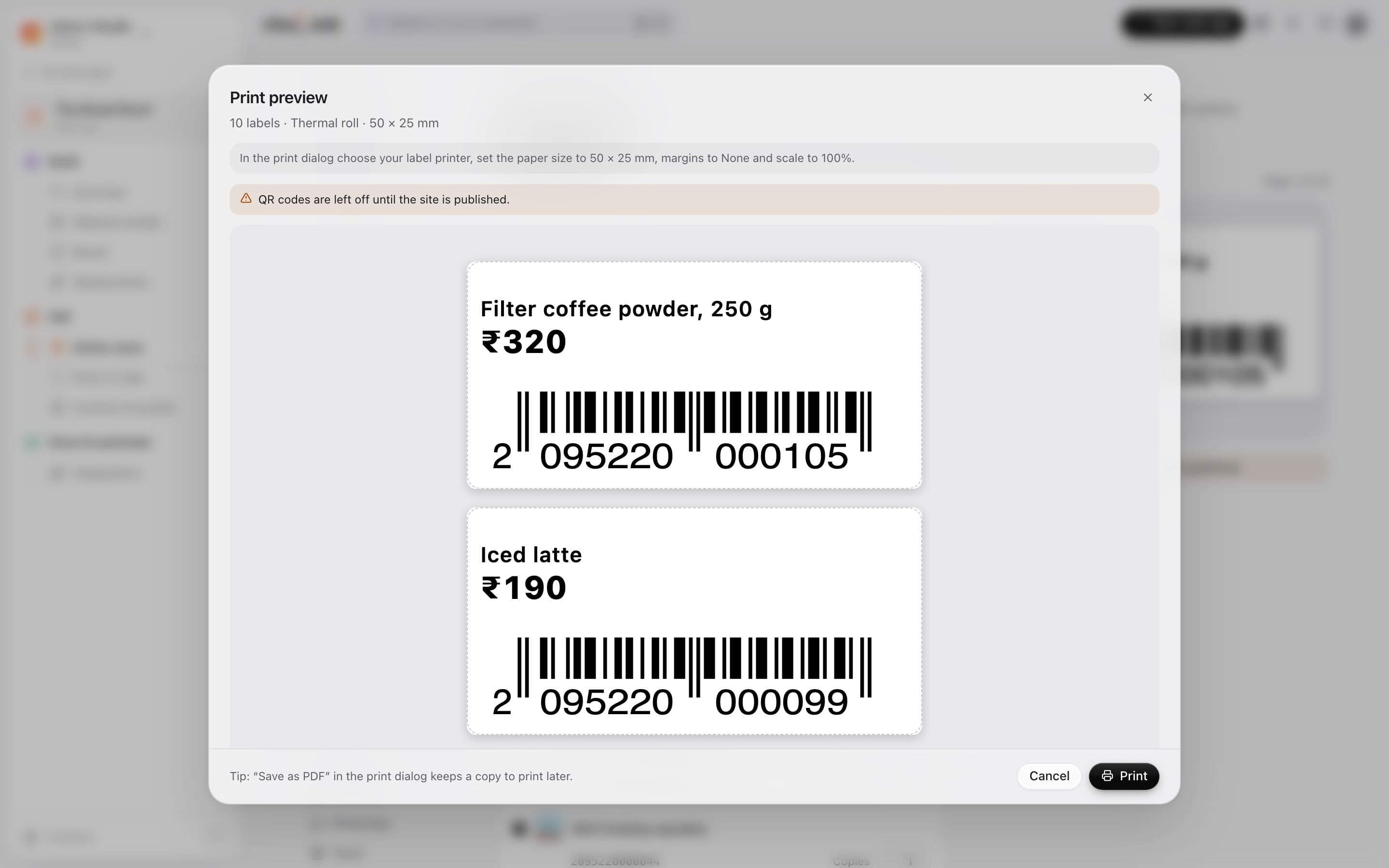
  6. 06Print preview

    See every label before it prints.

    The preview is the exact print layout, with the printer settings to choose spelled out — so the first roll comes out right.

    • The exact layout, page by page
    • Printer settings spelled out for you
    • Save as PDF to print later
    The label print preview with two barcode labels
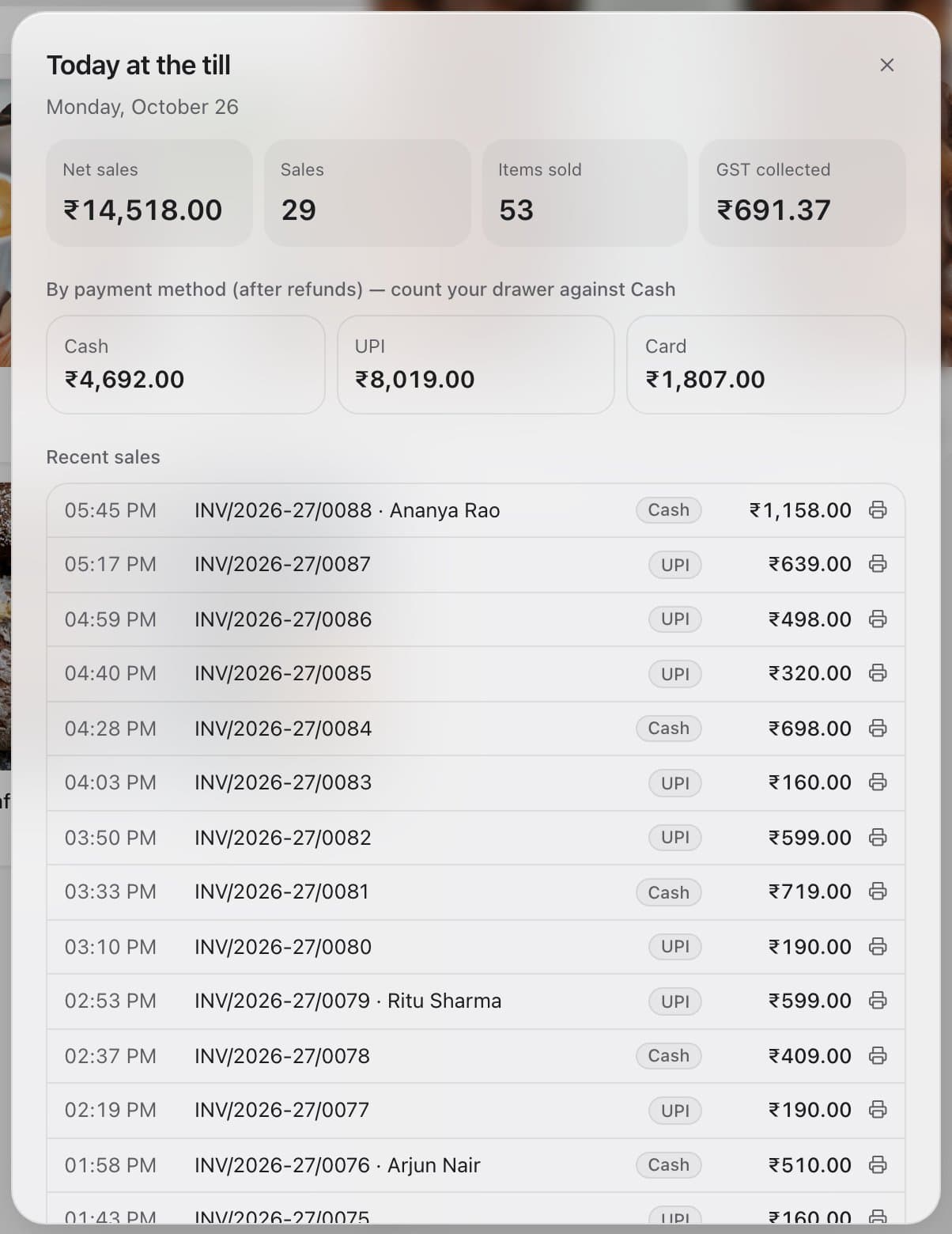
  7. 07End of day

    Close the day in a minute.

    Today's takings, items sold and GST collected — split by cash, UPI and card, so counting the drawer is quick.

    • Totals by payment method, after refunds
    • GST collected today
    • Every sale listed, with its receipt one tap away
    Today at the till: net sales, sales count, items sold, GST, and totals by payment method

In detail

What you get with Point of sale & barcodes

Works with real scanners

Scanners type and press Enter — the till always catches them, even straight after a sale.

Good to know

We'd rather be upfront than surprise you later:

  • The till records card and UPI payments taken on your own machine or app — it doesn't talk to card terminals or open cash drawers.
  • It needs an internet connection to complete a sale; a cart in progress survives a refresh.

Questions people ask

Which scanner should I buy?+

Any USB or Bluetooth barcode scanner that acts like a keyboard — which is almost all of them.

Can I print receipts?+

Yes, an 80 mm receipt with your GSTIN, the tax split and a QR code to your online shop.

What if the item isn't in stock on the system?+

The till asks before overselling — if it's really on the counter, you can sell it and fix the count later.

Works beautifully with

Give it a spin — it's free to start.

Next up: Cloudesk for Horeca →

Start free