All features

Cloudesk Calendar

Every meeting, from invite to minutes.

Calendar invites and meeting links in your email (Google Meet, Zoom, Teams, Webex) are picked up and waiting to add in one click. Reminders arrive through the day with the join button, and when a meeting ends you're asked for the minutes — decisions and action items — to email to whoever sent the invite and anyone else.

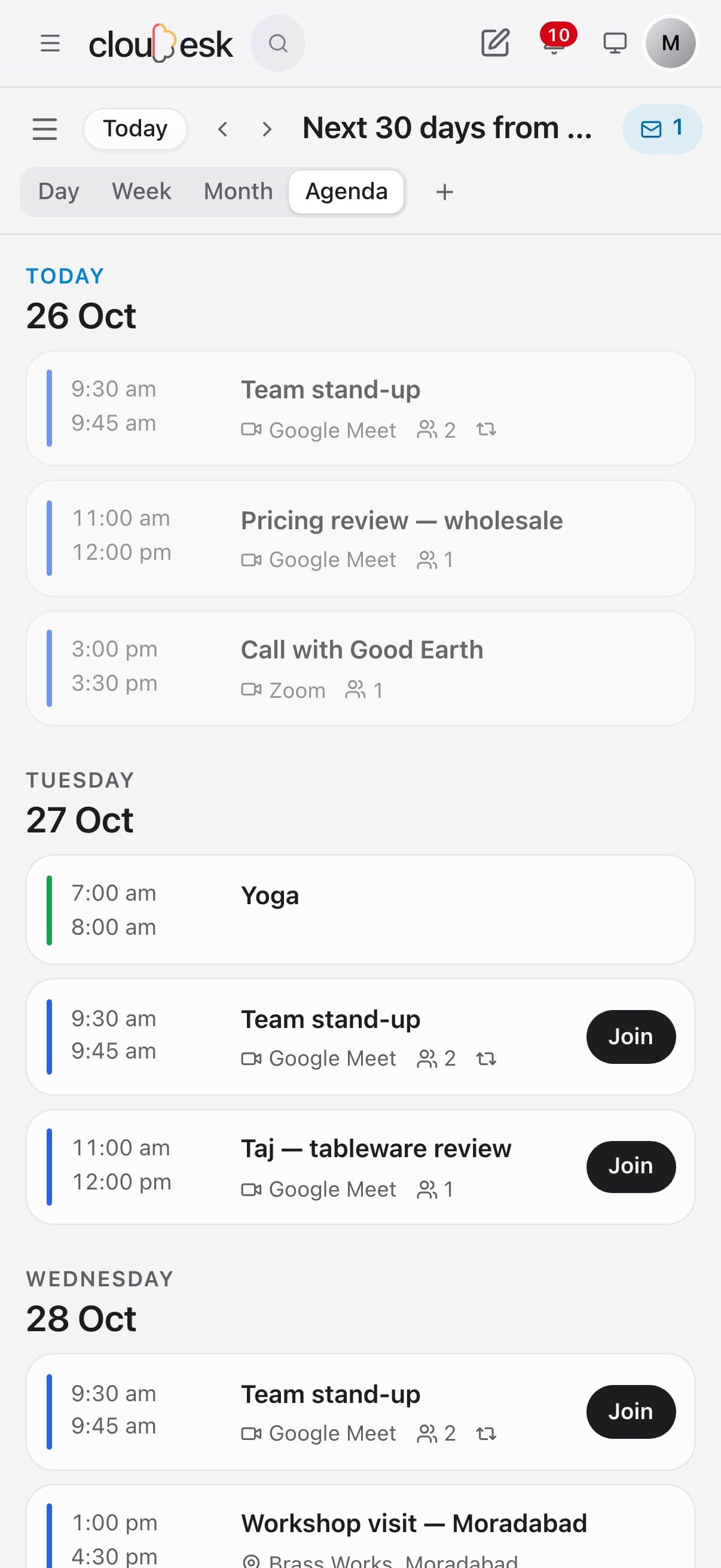
The calendar agenda on a phone

Real screenshots from the app, using a demo workspace.

How it works

Three steps, no surprises

  1. 1

    Invites find you

    Emails with a calendar invite or a meeting link show up under Meetings in Mail and in your calendar's sidebar, with the time already read.

  2. 2

    Add it, get reminded

    One click adds it (and tells the organiser you're coming). Reminders the day before, 3 hours, 1 hour, 10 minutes and as it starts.

  3. 3

    Write and share the minutes

    After the meeting: who was there, what was decided and who does what — sent by email as a reply to the invite.

The tour

Every tool, up close.

  1. 01Your week

    Meetings, from invite to minutes.

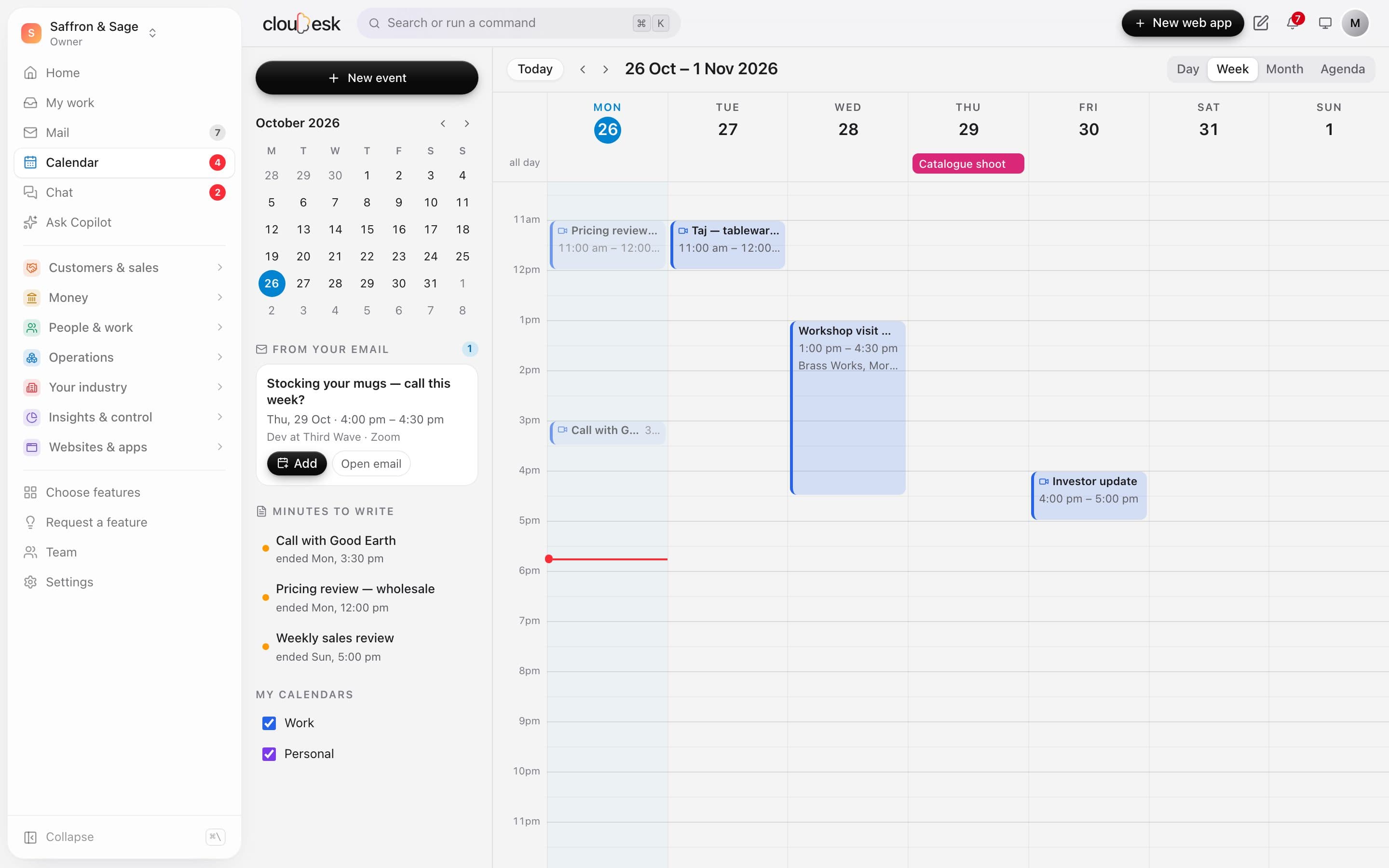
    Day, week, month and agenda views. Invites and meeting links in your email wait in the sidebar to add in one click, and meetings that ended are listed until you write the minutes.

    • Google Meet, Zoom and Teams links spotted
    • Drag to create, move and resize
    • Minutes to write, listed until done
    The week view with the From your email and Minutes to write lists
  2. 02Every meeting

    Join, answer and email the guests.

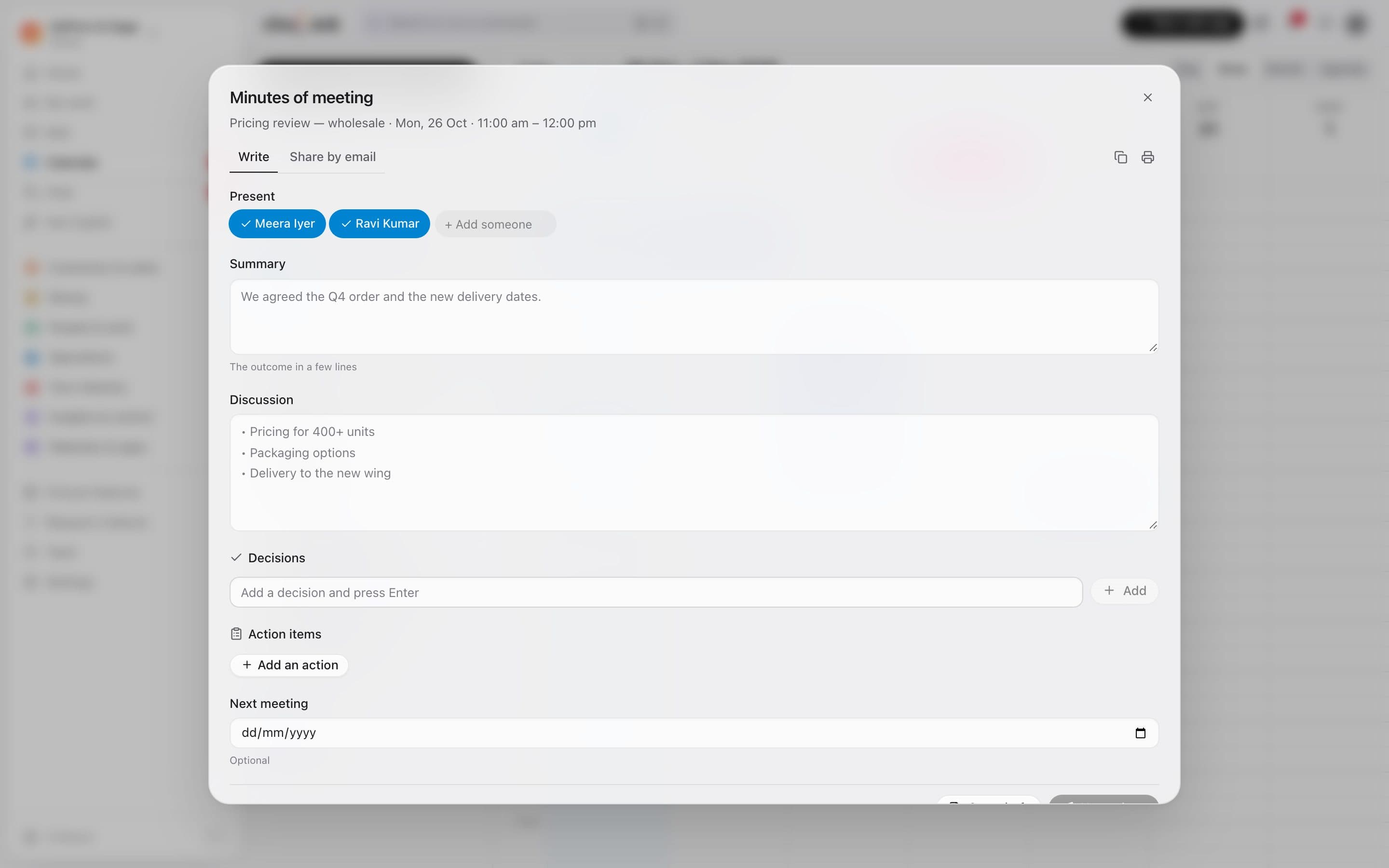
    Open a meeting for its link, guests, reminders and repeats. Answer an invite and the organiser hears back as a proper calendar reply; email everyone on it in one click.

    • Join button and reminders through the day
    • Going, maybe or no — sent to the organiser
    • Email guests, or write the minutes
    A meeting opened: its link, guests, reminders and Email guests
  3. 03From your inbox

    The invite in your email, ready to add.

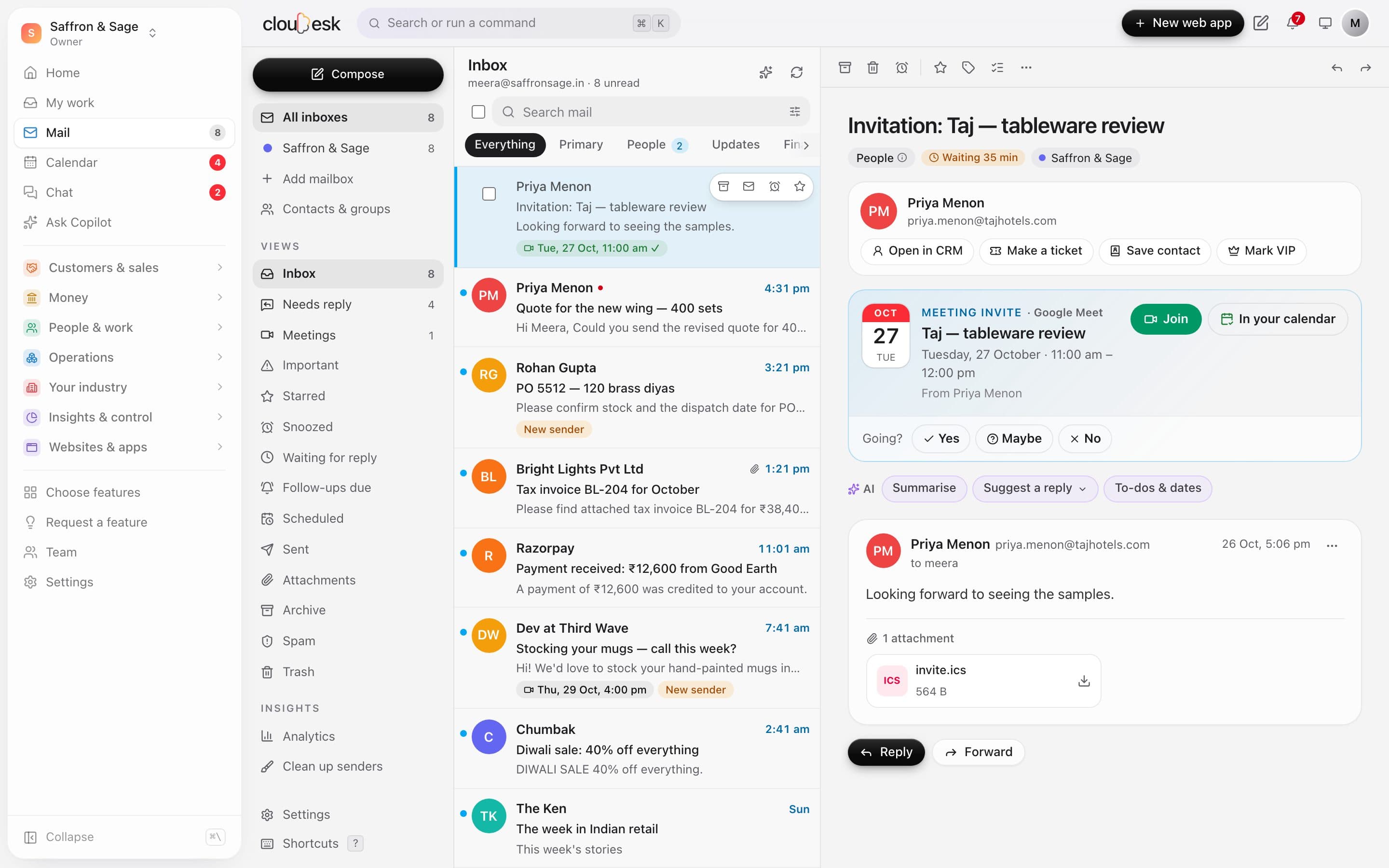
    A calendar invite in Mail shows as a meeting card with Join, Add to calendar and your answer — and real invites go into your calendar by themselves.

    • Invites read with their time zones
    • Updates move it, cancellations cross it out
    • Meeting links in plain emails, too
    A meeting invite in Mail: the date card, Join, In your calendar and Going? Yes, Maybe, No

In detail

What you get with Cloudesk Calendar

Day, week, month and agenda

Drag to create, move and resize; overlapping meetings side by side; a red line for now.

Good to know

We'd rather be upfront than surprise you later:

  • Meetings come from the mail Cloudesk syncs, every few minutes — not instantly.
  • A time read from an email's wording is a best guess, so you confirm it before it's added. Invites with a calendar file are exact.
  • Cloudesk doesn't create Google Meet or Zoom links; paste your link into the event.
  • This calendar doesn't sync two-way with Google or Outlook calendars yet.

Questions people ask

Will the organiser know I'm coming?+

Yes, if you answer — Going, Maybe or No goes back as a standard calendar reply that Google and Outlook understand.

What if the meeting moves?+

When the organiser sends the update, your calendar follows it and you're told. A cancellation crosses it out.

Works beautifully with

Give it a spin — it's free to start.

Next up: My work →

Start free