All features

My work

Your day, in one list.

My work gathers what's waiting on you from across Cloudesk: approvals to decide, leave and expense claims, timesheets to check, project tasks and CRM follow-ups that are due, your reminders and your notifications. Overdue first, one click to act.

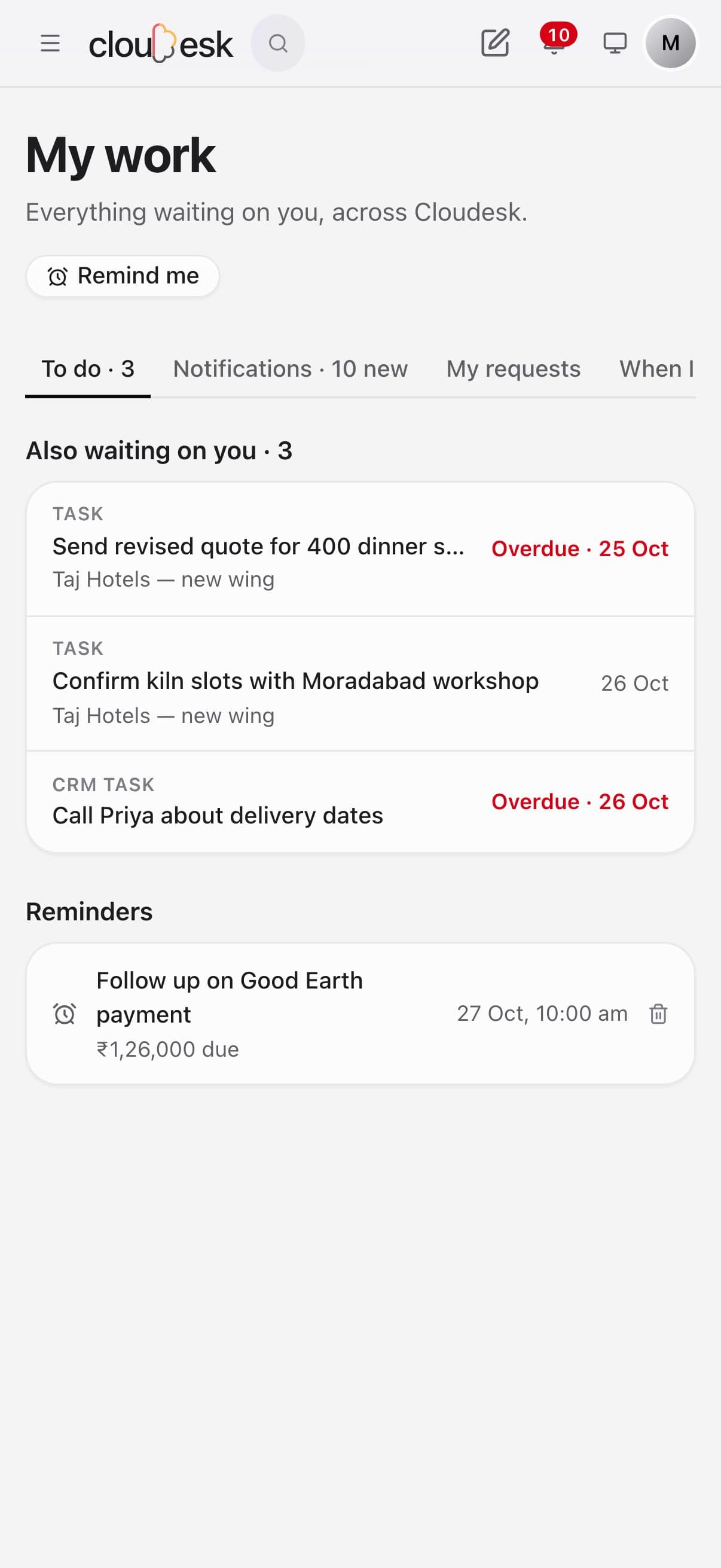
My work on a phone: tasks, follow-ups and reminders

Real screenshots from the app, using a demo workspace.

How it works

Three steps, no surprises

  1. 1

    It fills itself

    Every feature you use adds what needs you — nothing to set up.

  2. 2

    Decide and tick off

    Approve or reject right there, or open the task, deal or claim in one click.

  3. 3

    Nothing slips

    Reminders you set, and stand-ins who approve for you while you're away.

The tour

Every tool, up close.

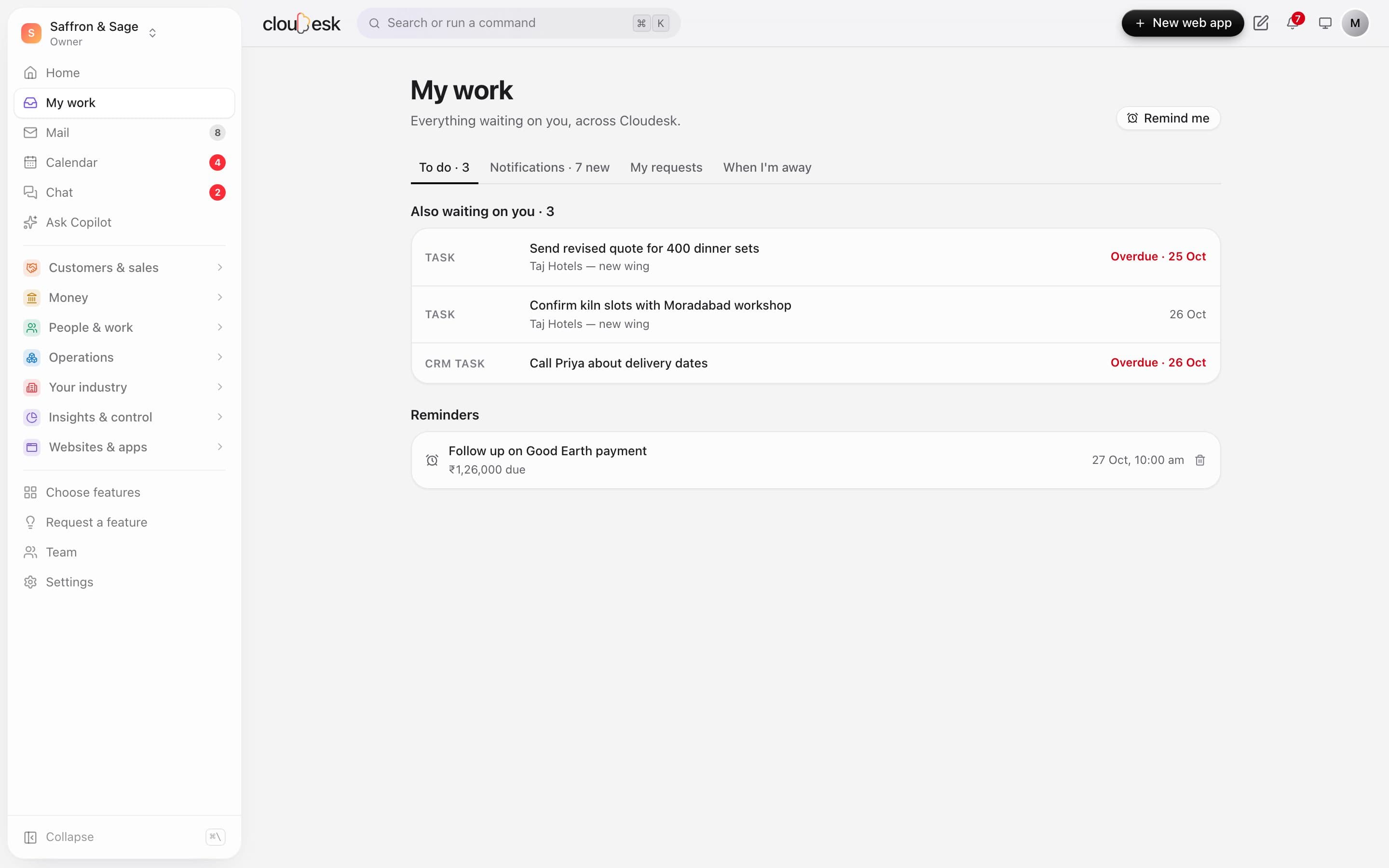
  1. 01To do

    Everything waiting on you, in one list.

    Approvals, leave and expense claims to decide, timesheets to check, project tasks and CRM follow-ups that are due — gathered from every feature you use, overdue first.

    • Approvals you can decide right there
    • Tasks and follow-ups with their due dates
    • Overdue work called out in red
    My work's to-do list with an overdue task
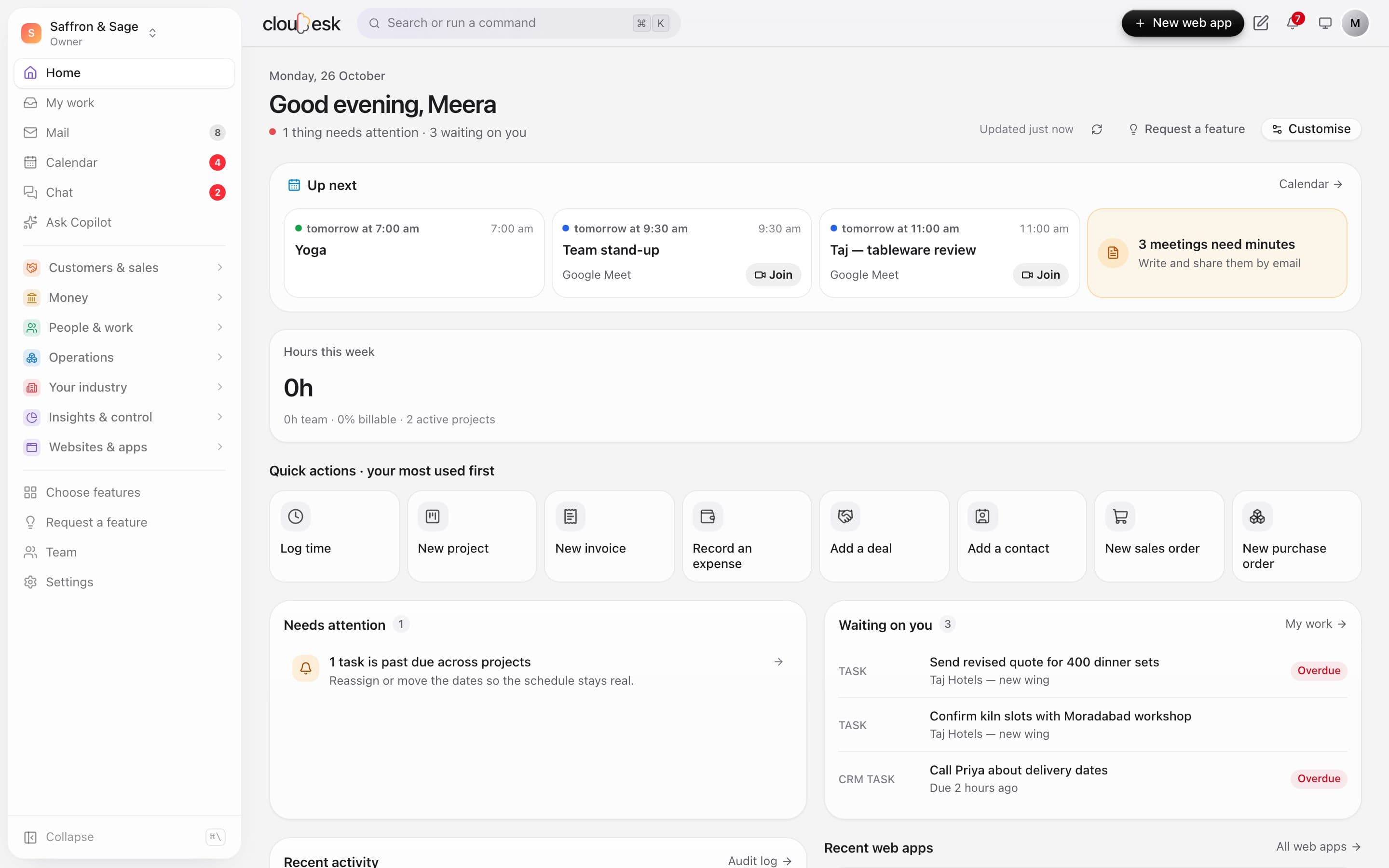
  2. 02On your dashboard

    Your day, the moment you sign in.

    Home puts the next meetings (with Join), what needs attention and what's waiting on you at the top — and the sidebar counts unread mail, chats and meeting invites everywhere you go.

    • Up next from your calendar
    • Needs attention and waiting on you
    • Unread counts on Mail, Calendar and Chat
    The home dashboard with Up next meetings, needs attention and waiting on you

In detail

What you get with My work

Approvals in place

Purchase orders, discounts, leave and claims — with the amount and who asked.

Good to know

We'd rather be upfront than surprise you later:

  • It shows what's already in the features you use — switch on Projects, HR or CRM and their work appears here.
  • Approvals follow the rules your owners set in Settings → Approvals.

Questions people ask

Do I need to set anything up?+

No. Tasks, approvals and follow-ups appear by themselves as the features you use create them.

Can someone approve for me while I'm on leave?+

Yes — under When I'm away, pick a colleague, the dates and what they can approve.

Works beautifully with

Give it a spin — it's free to start.

Next up: Cloudesk Chat →

Start free