
01Comments
Talk about the page, on the page.
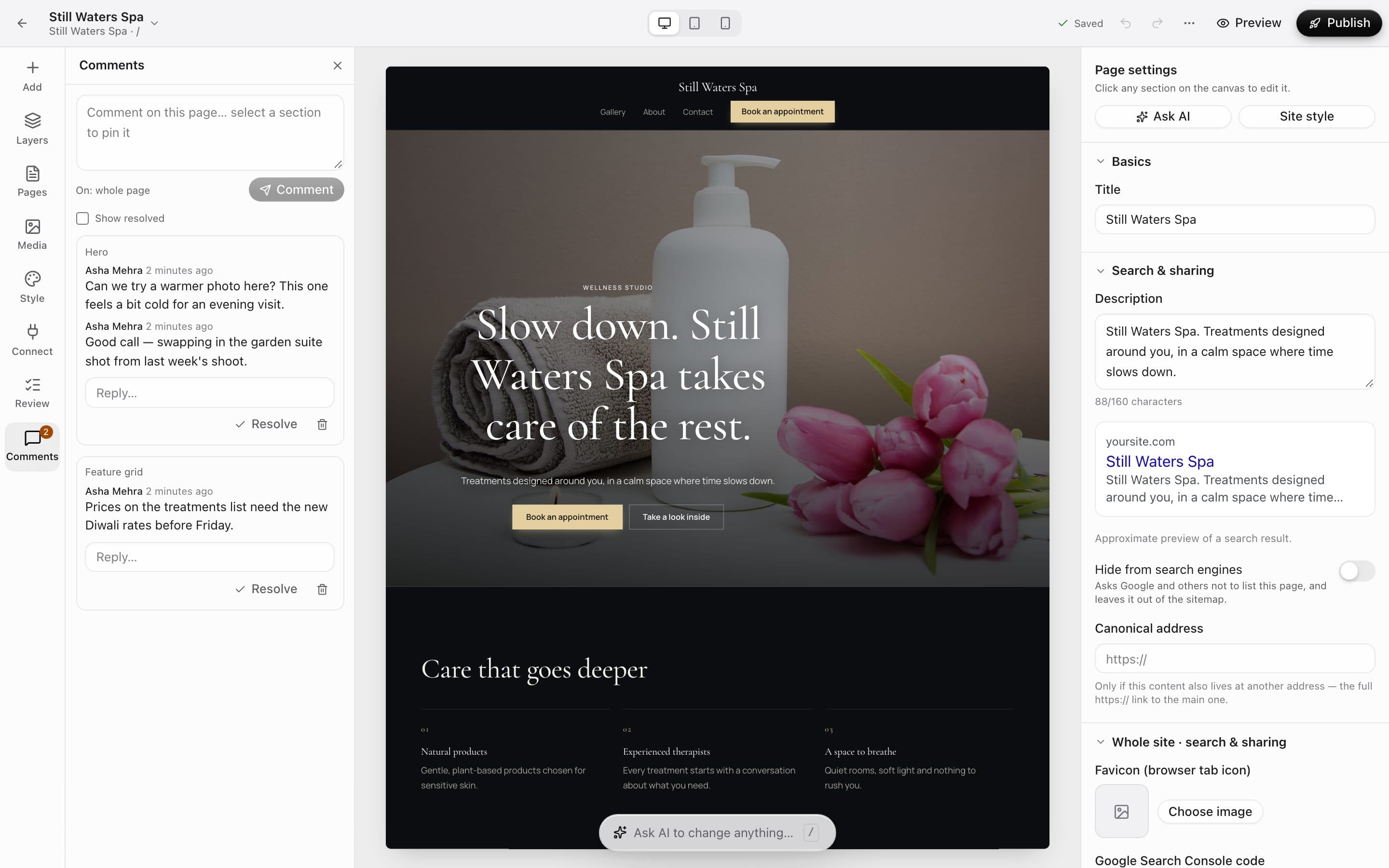
Pin a comment to any section, reply in a thread, and resolve it when it's done. The rail shows how many are still open.
- Pinned to sections
- Replies and @mentions
- Resolve when it's done
Team & collaboration
See who's editing, leave comments with @mentions, send clients a review link to approve, and try big changes on a branch. Roles keep everyone in their lane.
Real screenshots from a demo spa project and its team.
How it works
Owners, admins, designers, editors, developers, billing and viewers — each sees what they need.
Pin comments to sections, mention teammates, and share a review link with your client.
Clients approve in their browser; you publish with confidence.
The tour
01Comments
Pin a comment to any section, reply in a thread, and resolve it when it's done. The rail shows how many are still open.
02Client review
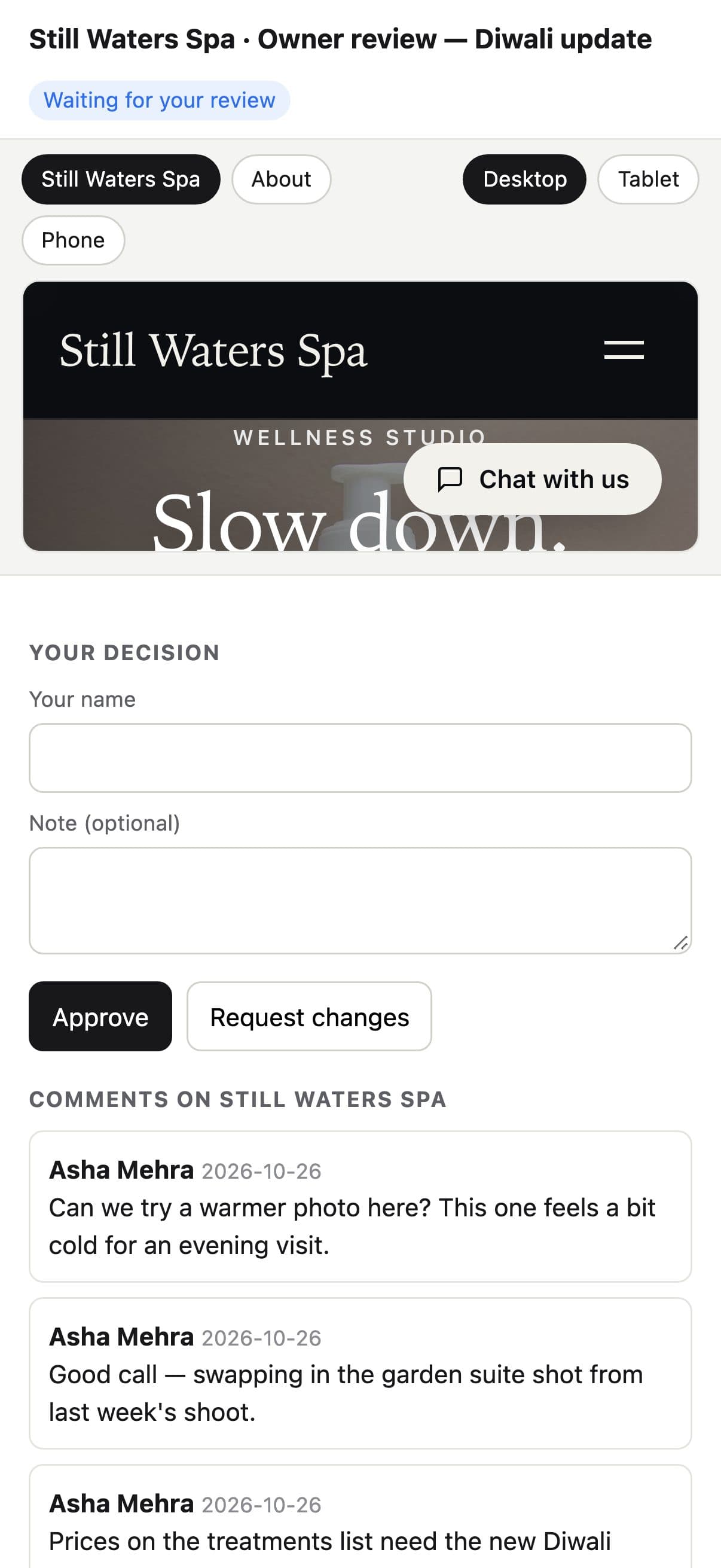
Share your latest version with a client. They can switch between desktop and phone, comment, and approve or ask for changes.

03Branches
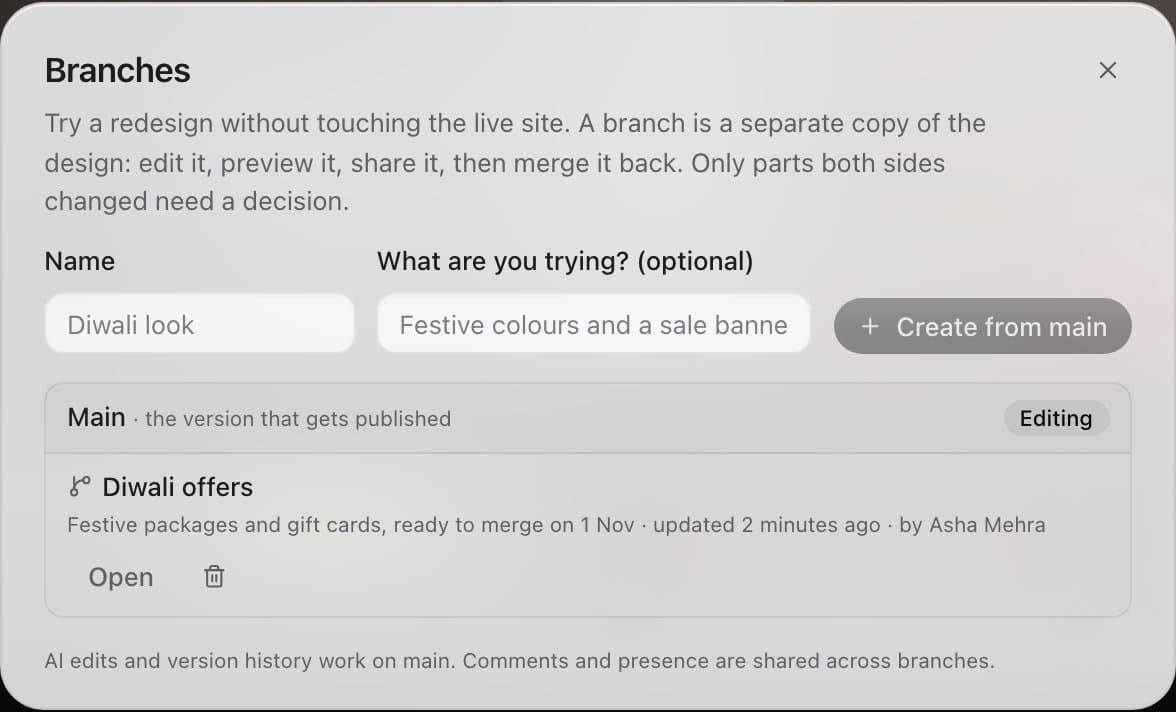
A branch is a separate copy of the design. Edit it, preview it, share it, then merge it back — you only decide on parts both sides changed.
04Your team
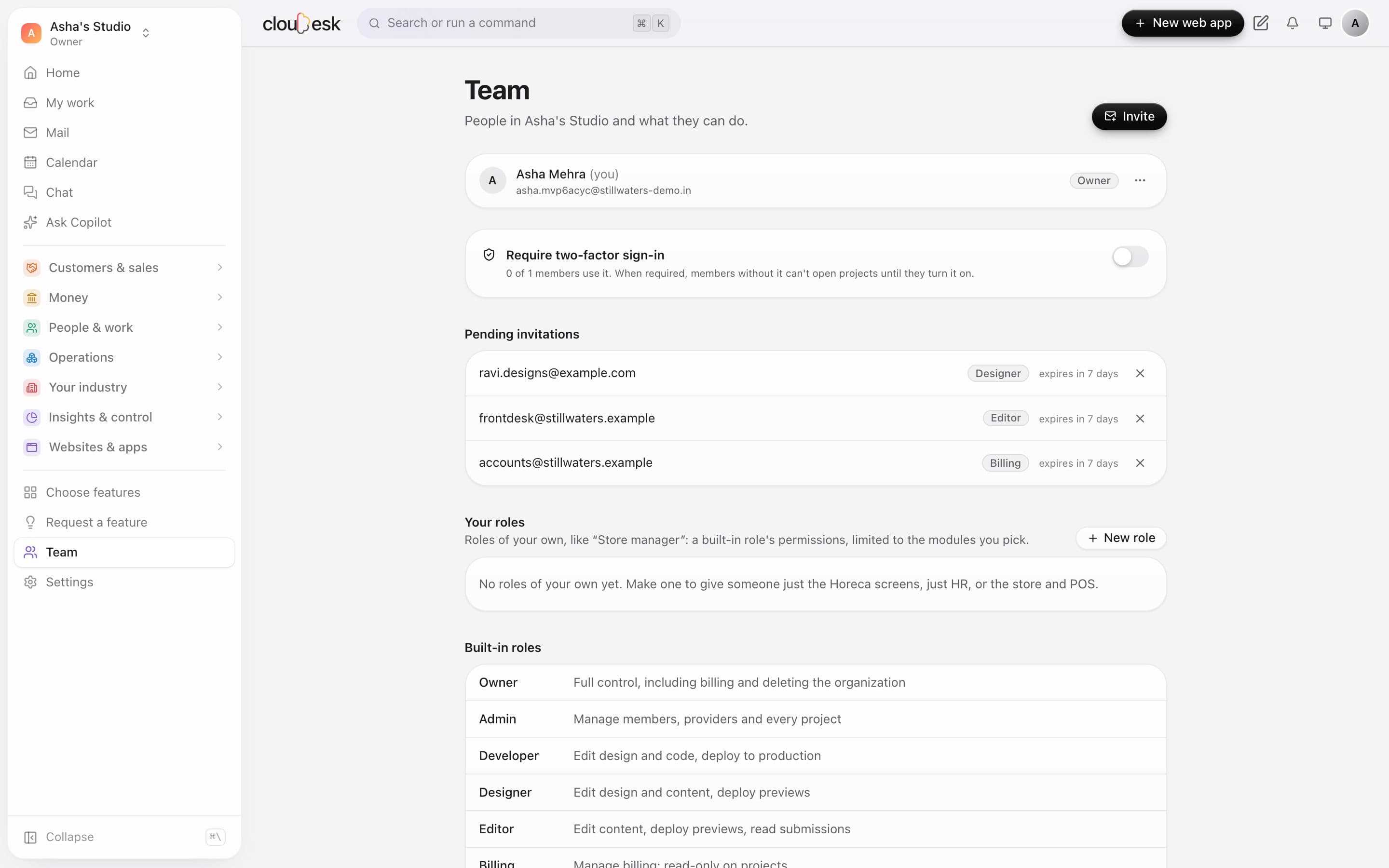
Invite people as admins, developers, designers, editors, billing or viewers. Turn on two-factor sign-in for the whole team.
In detail
See who else is in the builder, and saved edits sync to everyone within seconds.
We'd rather be upfront than surprise you later:
Only through a review link you send them — nothing is public until you publish.
Yes — roles decide who can design, publish, manage money or see customer data.
Next up: Five-minute launch →