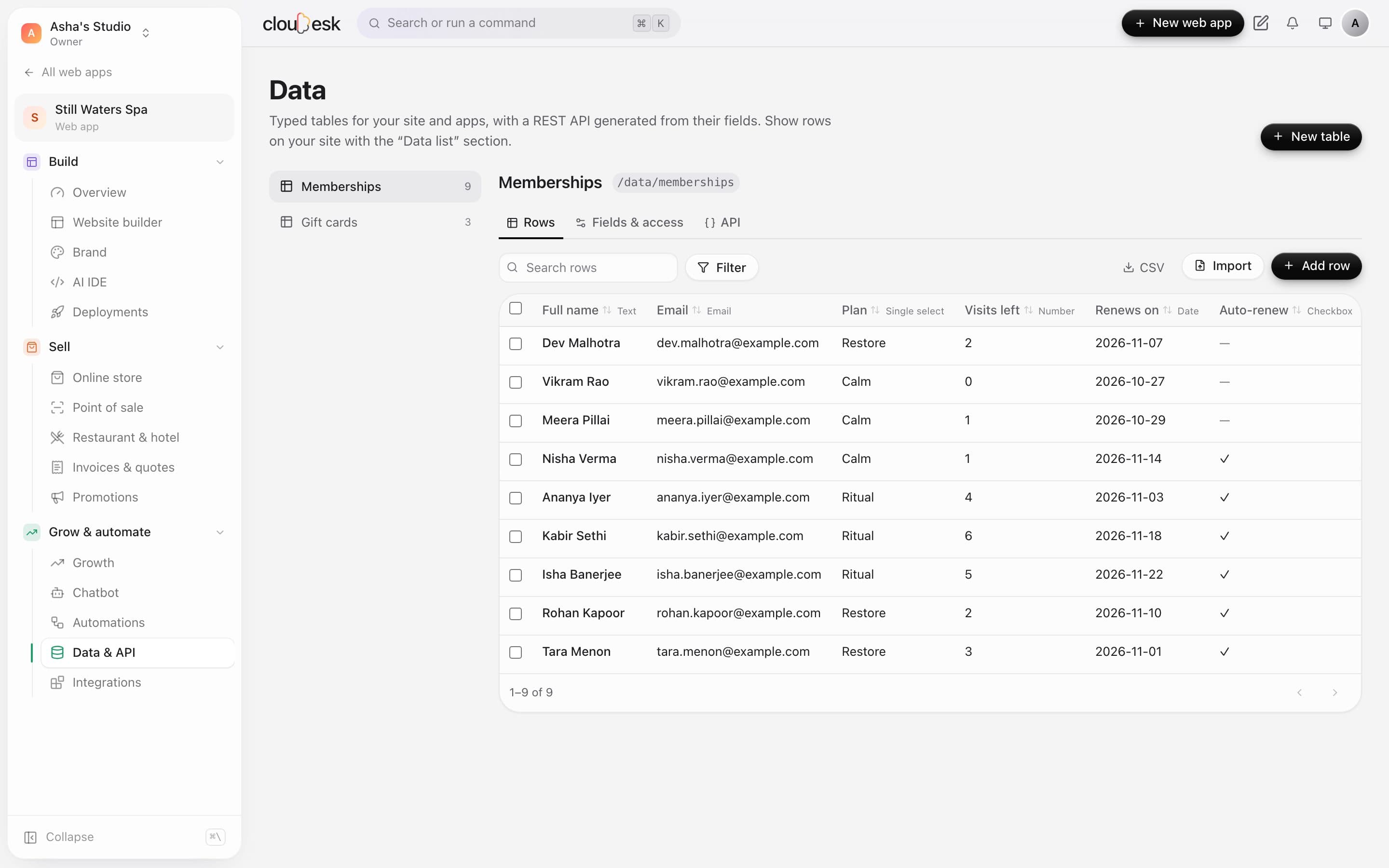
01Tables
A database that feels like a spreadsheet.
Make a table, add fields and fill it in — or import a CSV. Search, filter and edit rows right in the grid.
- Text, numbers, dates, choices, links and more
- CSV import and export
- Search and filter
Data tables & API
Keep listings, menus, team members or anything else in typed tables. Show them on your site, filter them, import CSVs, and get a ready-made REST API.
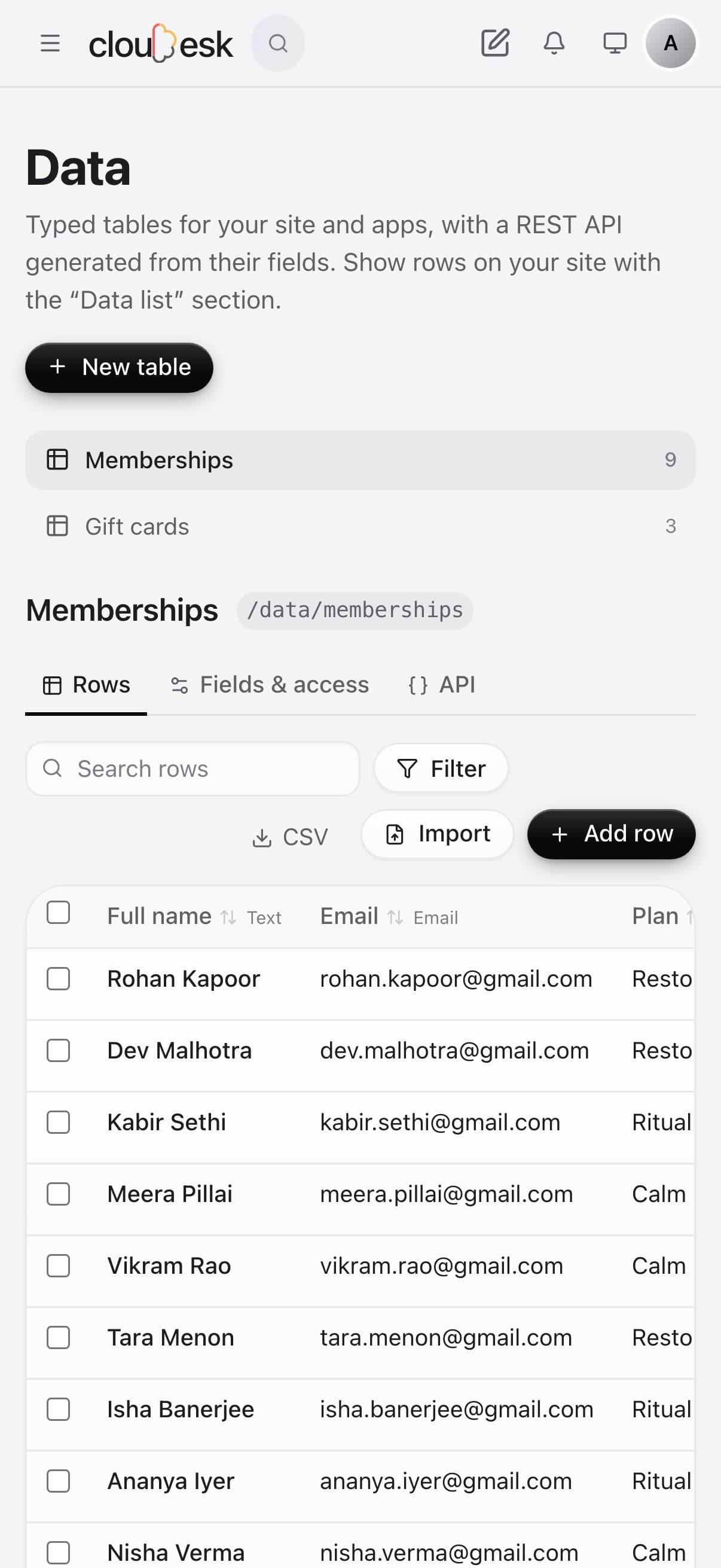
Real screenshots of Data on a demo spa, with sample rows.
How it works
Text, numbers, dates, choices, links to other tables — typed fields that keep data tidy.
Type, paste or import a CSV. Filter and sort like you're used to.
Show it on your site with a Data list section, or read and write it through the API.
The tour
01Tables
Make a table, add fields and fill it in — or import a CSV. Search, filter and edit rows right in the grid.
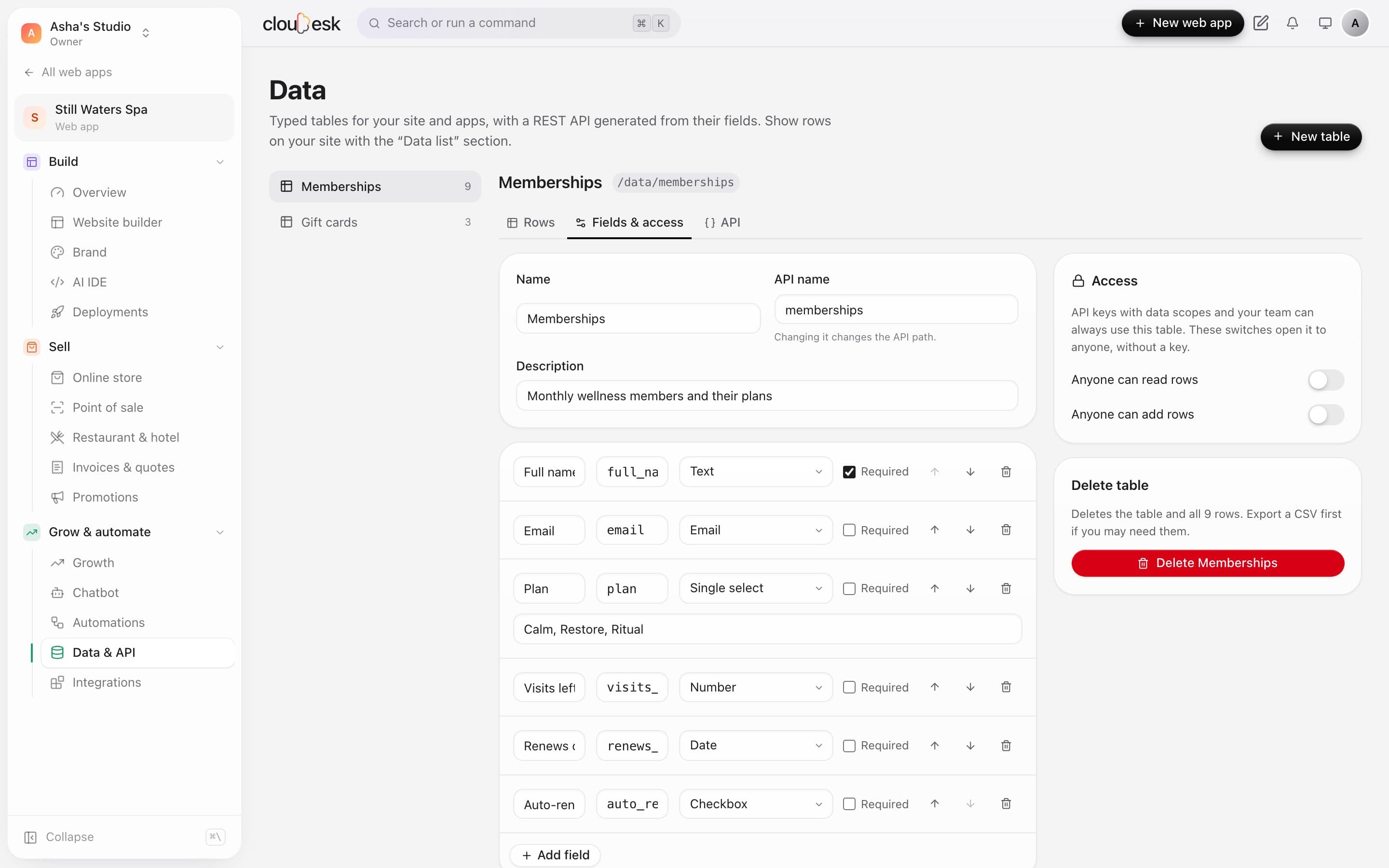
02Fields & access
Tables are private by default. Allow anyone to read, or to add rows from your site, only when you mean to.
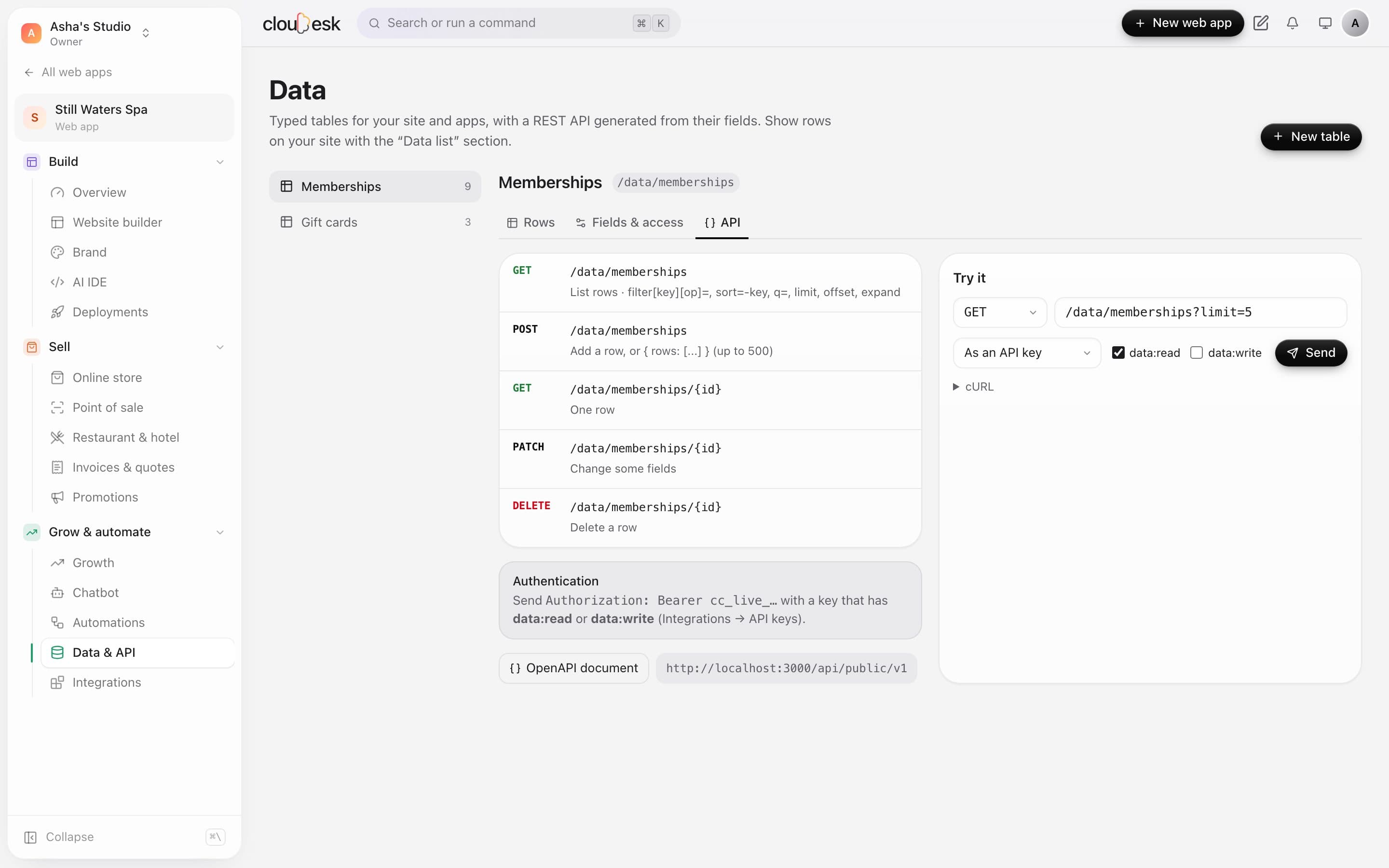
03API
Every table gets list, get, create, update and delete endpoints, with an OpenAPI document. Try requests right on the page.
In detail
Every table gets endpoints and OpenAPI docs, with an API console to try them.
We'd rather be upfront than surprise you later:
Only if you choose. Access is controlled per table with API keys.
Yes — editors can change rows; changing the structure needs a developer or admin.
Next up: Team & collaboration →